Good morning, #BSDCafeGood morning, #illumosCafeGood morning, #Fediverse
Fediverso
8
Posts
4
Posters
28
Views
-
Good morning, #BSDCafe
Good morning, #illumosCafe
Good morning, #FediverseHave a great week!
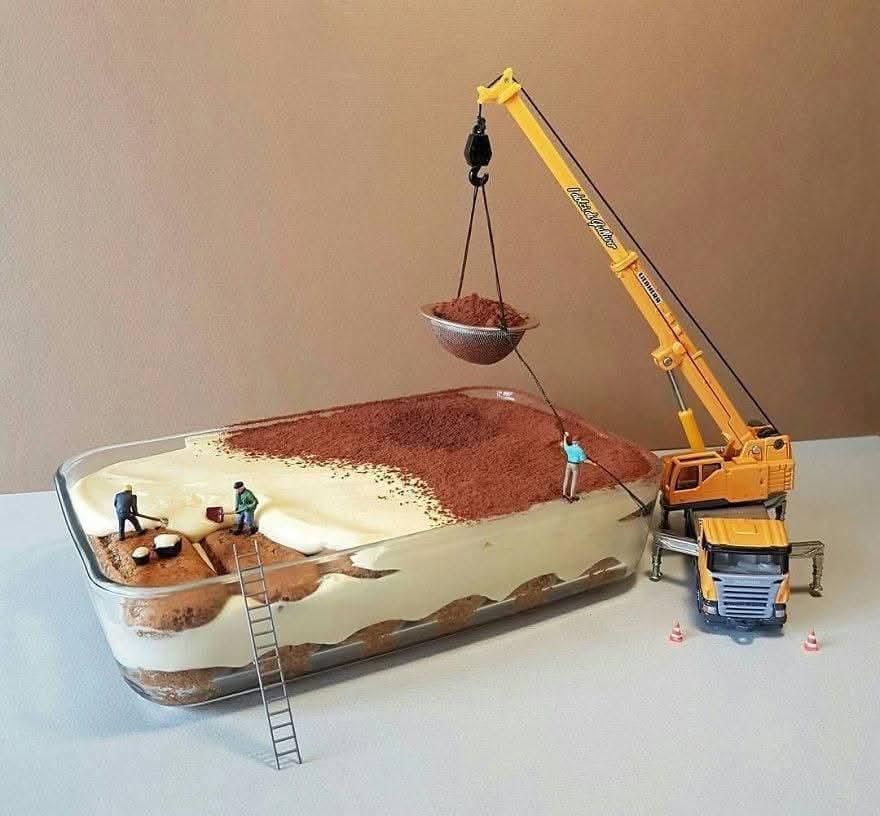
I badly need a tiramisu. Meanwhile, a funny photo I just downloaded from... I can't remember, but definitely not mine
-
Good morning, #BSDCafe
Good morning, #illumosCafe
Good morning, #FediverseHave a great week!
I badly need a tiramisu. Meanwhile, a funny photo I just downloaded from... I can't remember, but definitely not mine
@stefano That’s how it’s done!
-
Good morning, #BSDCafe
Good morning, #illumosCafe
Good morning, #FediverseHave a great week!
I badly need a tiramisu. Meanwhile, a funny photo I just downloaded from... I can't remember, but definitely not mine
@stefano Have a great week as well 😊
-
@stefano That’s how it’s done!
This post is deleted! -
@stefano Have a great week as well 😊
This post is deleted! -
Good morning, #BSDCafe
Good morning, #illumosCafe
Good morning, #FediverseHave a great week!
I badly need a tiramisu. Meanwhile, a funny photo I just downloaded from... I can't remember, but definitely not mine
@stefano I guess it's Tatsuya Tanaka! -
 undefined stefano@mastodon.bsd.cafe shared this topic on
-
Good morning, #BSDCafe
Good morning, #illumosCafe
Good morning, #FediverseHave a great week!
I badly need a tiramisu. Meanwhile, a funny photo I just downloaded from... I can't remember, but definitely not mine
This post is deleted! -
This post is deleted!
This post is deleted!



Gli ultimi otto messaggi ricevuti dalla Federazione
-
@ghostbyte a better alternative to fedidb! Yes! Thank you for your work, Will be using it from time to time 😁
-
Great work, thanks!
-
I love all the creative Mastodon instance thumbnails😍
-
To initially fill the software table of the database we used the data in the "software.json" file of communityDB (FediDB).
-
The source code of all three repositorys is public now:
Crawler: https://github.com/ghostbyte-dev/fedisea-crawler
API: https://github.com/ghostbyte-dev/fedisea-api
-
We deployed the current version of FediSea. It is now available on https://fedisea.surf/
This is a very early version and is nothing more than the current development state.
-
Warm up the fire! We're LIVE!
Delta, AltStore, and Other Ways to Jailbreak Your iOS Experience - E80
#owncast #streaming #interview #fediverse #fedi #people #show #firesidefedi #FsF
-
Popolo del #Fediverso!
Amichissimə di #Mastodon!Non vedo in tendenza l'#hashtag relativo al #Referendum => #IOVOTONO
Vogliamo farci sentire oppure no ?!?
Daje 💪 😎 🤠 🤟
(reboost e spammaggio ovviamente graditi 😂 )