when do you usually use the man page for a complex command line tool to answer a question you have?
Uncategorized
272
Posts
207
Posters
0
Views
-
i'm very curious about everyone who says "I'd look there first", if I want to figure out how to do something new I think I'll usually google how to do it rather than look at the man page, and then maybe later look at the man page to look up the details
(I've gotten enough of these answers:
- "I like that man pages don't require changing context"
- "with the man page I know I have the right version of the docs")@b0rk It was a bit of a toss-up for me. Sometimes I'll go straight to man, other times straight to generic google alternative. Man has the advantage of being right there - I don't even have to change my window focus - and while it can be very dense, there's a good chance I'll find an answer in the introduction or the examples at the end. But often it's simply too dense and I'm more interested in quickly solving the problem right in front of me than mastering a new tool, and then I'll open a browser and do a search.
The bad news for man pages though is that quality has definitely declined over the years. More modern packages are less likely to have a good man page, or sometimes don't have one at all. It's pretty obvious why, no sense complaining about it, but it can be annoying.
-
when do you usually use the man page for a complex command line tool to answer a question you have? (like git, openssl, rsync, curl, etc)
(edit: no need to say "i use --help then man")
@b0rk i'm using manpage, when I am already on the terminal with a relatively complex command, and I just need that one extra option. I hit Ctrl+A to go to the start, type "man " (and leave all the rest of the command in place!) and hit enter. Man doesn't care about that stuff after the first arguement, so it's relatively convenient.
-
i'm very curious about everyone who says "I'd look there first", if I want to figure out how to do something new I think I'll usually google how to do it rather than look at the man page, and then maybe later look at the man page to look up the details
(I've gotten enough of these answers:
- "I like that man pages don't require changing context"
- "with the man page I know I have the right version of the docs")@b0rk usually Google just brings me to a online man page if it's a program that has an extensive man page or --help (git, curl, etc.). If I don't know the program has a good man page then I will Google.
-
@b0rk It was a bit of a toss-up for me. Sometimes I'll go straight to man, other times straight to generic google alternative. Man has the advantage of being right there - I don't even have to change my window focus - and while it can be very dense, there's a good chance I'll find an answer in the introduction or the examples at the end. But often it's simply too dense and I'm more interested in quickly solving the problem right in front of me than mastering a new tool, and then I'll open a browser and do a search.
The bad news for man pages though is that quality has definitely declined over the years. More modern packages are less likely to have a good man page, or sometimes don't have one at all. It's pretty obvious why, no sense complaining about it, but it can be annoying.
@uastronomer when you say "it's pretty obvious why" what do you mean?
(is it that with stack overflow & the internet generally it feels like there's less pressure to have good docs than when they were the only source of information?)
-
i'm very curious about everyone who says "I'd look there first", if I want to figure out how to do something new I think I'll usually google how to do it rather than look at the man page, and then maybe later look at the man page to look up the details
(I've gotten enough of these answers:
- "I like that man pages don't require changing context"
- "with the man page I know I have the right version of the docs")@b0rk i tend to first try to find the answer in the man page, and if i can’t do so quickly i’ll search for it on the internet. and if that fails, i’ll read the man page more carefully
-
@b0rk if --help doesn't give enough info, man page is my second step
-
i'm very curious about everyone who says "I'd look there first", if I want to figure out how to do something new I think I'll usually google how to do it rather than look at the man page, and then maybe later look at the man page to look up the details
(I've gotten enough of these answers:
- "I like that man pages don't require changing context"
- "with the man page I know I have the right version of the docs")@b0rk I've been using Linux since 1997 or so, with Slackware. I learned very early on that the only definitive source for the answer, or at least the first place one should look, is in the man pages.
I have never trusted any search engine, and nowadays, I certainly do not trust Google at all, especially with how evil the company is, and how they too force AI on everyone.
-
i'm very curious about everyone who says "I'd look there first", if I want to figure out how to do something new I think I'll usually google how to do it rather than look at the man page, and then maybe later look at the man page to look up the details
(I've gotten enough of these answers:
- "I like that man pages don't require changing context"
- "with the man page I know I have the right version of the docs")@b0rk It kind of depends on the question—usually my question is something like “what's the option to do such-and-such again?” which is easily answered by --help or the manpage.
When it's something more conceptual, then --help probably won't explain it and my first stop will be the manpage to see whether it does, because it's authoritative and I already have it. If that fails, then I'll try the web, and maybe a relevant book if I have one.
-
i'm very curious about everyone who says "I'd look there first", if I want to figure out how to do something new I think I'll usually google how to do it rather than look at the man page, and then maybe later look at the man page to look up the details
(I've gotten enough of these answers:
- "I like that man pages don't require changing context"
- "with the man page I know I have the right version of the docs")@b0rk I look a the man page if there is an option for what I want, usually searching for keywords I am interested in. However with git/ffmpeg I usually just google for what I need too. Their manpages are so full of options that I get easily overwhelmed. Some big manpages like bash's I've seen enough times to not get lost.
-
when do you usually use the man page for a complex command line tool to answer a question you have? (like git, openssl, rsync, curl, etc)
(edit: no need to say "i use --help then man")
@b0rk Usually because my aging brain says, "Oh, that's the -s option", so I try that, and discover, No, it's not. Then I look in the man page, and discover it was actually the -S option. Well, half right?
-
@vatine @b0rk
Yup, same. My first laptop ran qnx 4 and came with the man pages on paper (it was something like 1.5 shelf-metres of very nicely bound softcover books), and I was coming from MS-DOS and Win 3.1. I spent a lot of time poring over those manuals to learn even the most basic stuff like "how to 'dir'" and "how to quit elvis".@silvermoon82 @vatine @b0rk where did you find something like that? Seems like a lot of books.
-
i'm very curious about everyone who says "I'd look there first", if I want to figure out how to do something new I think I'll usually google how to do it rather than look at the man page, and then maybe later look at the man page to look up the details
(I've gotten enough of these answers:
- "I like that man pages don't require changing context"
- "with the man page I know I have the right version of the docs")@b0rk I search for tools where I already know the man page is unhelpful (either too small or there's just a million options that make a whole language to learn to do basic stuff).
Which is quite a lot tbh, but I do absolutely start out with the official documentation on practically everything. Answers and mistake-preventions are almost always found in there the quickest, because mistakes consume a ton of time.
-
i'm very curious about everyone who says "I'd look there first", if I want to figure out how to do something new I think I'll usually google how to do it rather than look at the man page, and then maybe later look at the man page to look up the details
(I've gotten enough of these answers:
- "I like that man pages don't require changing context"
- "with the man page I know I have the right version of the docs")@b0rk I use apropos first to find the manual pages around the subject. If it doesn't turn up anything, I hit the web (or 'apt-cache search' to see if there are packages that might help me)
-
i'm very curious about everyone who says "I'd look there first", if I want to figure out how to do something new I think I'll usually google how to do it rather than look at the man page, and then maybe later look at the man page to look up the details
(I've gotten enough of these answers:
- "I like that man pages don't require changing context"
- "with the man page I know I have the right version of the docs")@b0rk if I’m already at least a little familiar with a tool, I would much rather look at the man page than search online. But this is partially influenced by the fact thay search got worse, but man pages actually did finally get better.
-
when do you usually use the man page for a complex command line tool to answer a question you have? (like git, openssl, rsync, curl, etc)
(edit: no need to say "i use --help then man")
@b0rk voted "other"
Usually go for tldr. If needed, man page / --help
-
i'm very curious about everyone who says "I'd look there first", if I want to figure out how to do something new I think I'll usually google how to do it rather than look at the man page, and then maybe later look at the man page to look up the details
(I've gotten enough of these answers:
- "I like that man pages don't require changing context"
- "with the man page I know I have the right version of the docs")i think part of the reason I'm feeling interested in man pages right now even though I rarely use them is that search has gotten so much worse, it's frustrating, and it makes it feel more appealing to have trustworthy sources with clear explanations
-
when do you usually use the man page for a complex command line tool to answer a question you have? (like git, openssl, rsync, curl, etc)
(edit: no need to say "i use --help then man")
@b0rk when I happen to know it’s a good one (eg curl) - but I still usually read an online HTML version in my browser anyway
-
when do you usually use the man page for a complex command line tool to answer a question you have? (like git, openssl, rsync, curl, etc)
(edit: no need to say "i use --help then man")
@b0rk often I'll web search first then if the suggested command has a bunch of parameters I'll check the man page to understand what those all do. I've never felt totally safe trusting that `command -rbSaP` is safe to run lol
-
i'm very curious about everyone who says "I'd look there first", if I want to figure out how to do something new I think I'll usually google how to do it rather than look at the man page, and then maybe later look at the man page to look up the details
(I've gotten enough of these answers:
- "I like that man pages don't require changing context"
- "with the man page I know I have the right version of the docs")@b0rk ZFS moves pretty quick, and most blogs have a lot of out dated or incorrect wisdom at this point.
-
i'm very curious about everyone who says "I'd look there first", if I want to figure out how to do something new I think I'll usually google how to do it rather than look at the man page, and then maybe later look at the man page to look up the details
(I've gotten enough of these answers:
- "I like that man pages don't require changing context"
- "with the man page I know I have the right version of the docs")@b0rk for me I suppose it’s 1) context switching; I’d rather stay in the terminal; 2) wanting to be sure I’m looking at the right version (e.g. if I’m on a mac, I have BSD coreutils, search often has results for GNU; and now 3) searching for anything these days is such an exercise in frustration, sorting through a bunch of SEO slop blogs to find something actually relevant





















Feed RSS
Gli ultimi otto messaggi ricevuti dalla Federazione
-
La gente crede di inseguire le stelle e finisce come un pesce rosso in una boccia.
Mi chiedo se non sarebbe più semplice insegnare fin da subito ai bambini che la vita è assurda.
Questo toglierebbe all’infanzia alcuni momenti felici ... https://cctm.website/muriel-barbery-francia/Muriel Barbery
da L’eleganza del riccio, Edizioni e/o, 2007
#MurielBarbery #libri #cctmwebsite #anoipiaceleggere #leggere
-
@montenavigante.bsky.social
https://bsky.app/profile/montenavigante.bsky.social/post/3mfezmb3yes2q
> Calcolatrice Logos 9, Mario Bellini, 1978
-
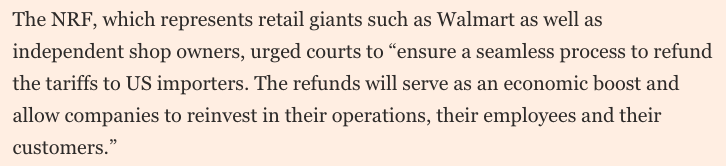
Da Walmart ai piccoli negozi, tutti esigono i rimborsi di quanto pagato. E li esigono subito. Ma come, i dazi non erano stati pagati dagli stranieri? 🤡
Si preannuncia una poderosa e incarognita guerra legale contro il governo federale. Pensate di quale beneficio per Trump al midterm 🍿
Corporate America demands refunds after Donald Trump’s tariffs are struck down https://www.ft.com/content/07a295a3-e323-4a96-af48-ba8d01ab059a
-
-
The Onion (@theonion.com)
https://bsky.app/profile/theonion.com/post/3mff3wrrdvk23
> God Wondering When Humans Will Realize Purpose Of Life Masturbating Continually https://theonion.com/god-wondering-when-humans-will-realize-purpose-of-life-masturbating-continually/
-
Che per caso c'hai sete? 😂 A prima vista pare una cosa da bere
-
Anita Sagastegui Photography (she/her) (@anitasagastegui.bsky.social)
https://bsky.app/profile/anitasagastegui.bsky.social/post/3mff4muzick2b
> #Two #BlueSkyArtShow #SantaMonica #sunsets #WestCoastKin #ThePhotoHour #UnJourUnePhoto #nikon #photography #California #BlueSkyPhotography #artshow #paysage #colorfulsunset #sunset #seascape #landscape #fineartphotgraphy #NatureArt
-
@stefano_zan sembri 'sempliciotto tontolone' quando raggiungi l'illuminazione. Non lo sottovalutare!