when do you usually use the man page for a complex command line tool to answer a question you have?
Uncategorized
7
Posts
7
Posters
0
Views
-
when do you usually use the man page for a complex command line tool to answer a question you have? (like git, openssl, rsync, curl, etc)
(edit: no need to say "i use --help then man")
-
when do you usually use the man page for a complex command line tool to answer a question you have? (like git, openssl, rsync, curl, etc)
(edit: no need to say "i use --help then man")
@b0rk I start with --help because if it doesn't work, it's unlikely to do anything undesirable either.
Then I try -h.
Then the man page.
If all those fail, a web search. -
i'm very curious about everyone who says "I'd look there first", if I want to figure out how to do something new I think I'll usually google how to do it rather than look at the man page, and then maybe later look at the man page to look up the details
(I've gotten enough of these answers:
- "I like that man pages don't require changing context"
- "with the man page I know I have the right version of the docs")@b0rk if I am looking for a specific flag and I know the keyword I'm looking for, man page it is, but if I just have a fuzzy idea, like "find all files created after June 4" then typing that into an AI spits out the right flags far easier than scrolling through pages of "-newermt" in a man page
-
when do you usually use the man page for a complex command line tool to answer a question you have? (like git, openssl, rsync, curl, etc)
(edit: no need to say "i use --help then man")
@b0rk depends if I'm looking for "what's the letter option to save curl output to a file" (man) or "What's the incantation to do a fairly complex thing with ffmpeg" (stackexchange)
-
i'm very curious about everyone who says "I'd look there first", if I want to figure out how to do something new I think I'll usually google how to do it rather than look at the man page, and then maybe later look at the man page to look up the details
(I've gotten enough of these answers:
- "I like that man pages don't require changing context"
- "with the man page I know I have the right version of the docs")@b0rk i do try —help first but you made that one option. Also if at the start of the man page I find it very unclear I hit /example to find the example section
-
when do you usually use the man page for a complex command line tool to answer a question you have? (like git, openssl, rsync, curl, etc)
(edit: no need to say "i use --help then man")
I have this wonderful program called Dash that has LOTs of documentation… for those cases when I am in my camper working on personal projects.
I typically look there first.
(I mostly camp places without cell or wifi)
-
@b0rk @simontatham You've DEFINITELY given me something to think about.
In rsync's case in particular, I go to the HTML version of the man page on Samba's website and look it up there. I think if the man page was easier to invoke outside of a terminal window with browser/editor bindings (read: CTRL+F), I train my brain to use the local copy.
@cr1901 @b0rk @simontatham for certain tools that have a capital-M Manual—you know, the organized kind that you'd get an HTML or PDF render of—you'll sometimes find the HTML packaged in Linux distros (as a separate
-docsubpackage if not in the main package itself). but to open such docs, you'll have to root around in/usr/share{,doc}, and that's if you know the manual exists in the first place; you might just as well find a bare-minimumREADME...seems like there's an unfilled niche for making a system's heterogenous
doctree more discoverable. something with slightly more tailored UI than a directory tree view (let alone navigating to each one individually). a generated HTML page would be a good start, and a plugin for KHelpCenter and such would be really cool. it's entirely possible there's an existing solution here I'm just not familiar with, though













Feed RSS
Gli ultimi otto messaggi ricevuti dalla Federazione
-
This post did not contain any content.
-
#EpsteinFiles #PrinceAndrew #segreti #ricatti #pedofilia
Meglio rospo.
Oggi per @repubblica
-
This post did not contain any content.
-
Deposito di smarino di Susa: Bussoleno si attivi per Vis e Via
@anarchia
Egregio Sig. Sindaco del Comune di Bussoleno In riferimento al progetto citato rileviamo con estrema preoccupazione che in corso di definizione degli interventi ritenuti indispensabili per la realizzazione delle opere previste nella così detta “piana di Susa” si è proceduto,...Vedi l'articolo
-
Clearing extra roof snow ahead of this week's forecast.
-
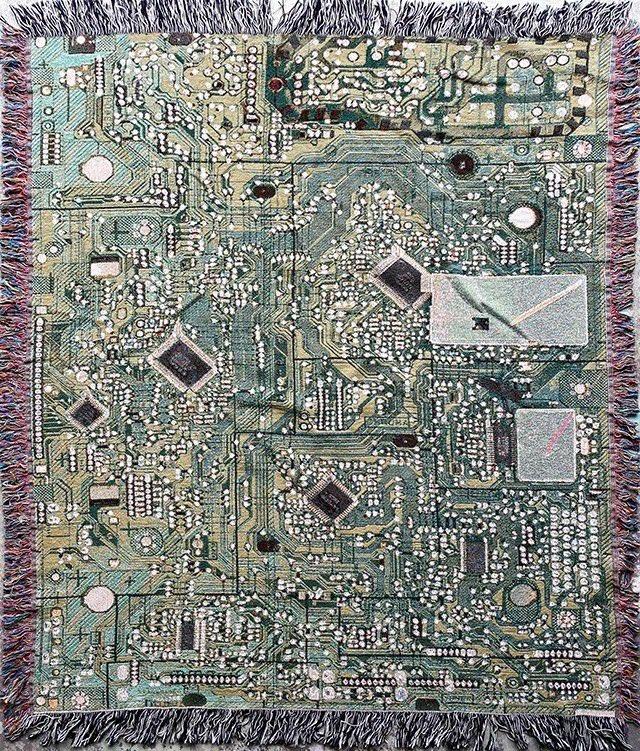
This circuit board blanket will also provide excellent camouflage once the machines start slaughtering us all.
-
@Voline ah, it was intentional, sorry 8-) I think this is the first time I've seen this made on purpose to avoid a preview, the usual strategy is to add an image or something, so that the link remains clickable. Sure would be nice if the preview card could be controlled 8-(
-
re: https:
Yeah, sometimes I don't want a preview card to appear in a post.