Jenny’s Daily Drivers: KDE LinuxOver this series test-driving operating systems, we’ve tried to bring you the unusual, the esoteric, or the less mainstream among the world of the desktop OS.
Uncategorized
1
Posts
1
Posters
2
Views


-
Jenny’s Daily Drivers: KDE Linux
Over this series test-driving operating systems, we’ve tried to bring you the unusual, the esoteric, or the less mainstream among the world of the desktop OS. It would become very boring very quickly of we simply loaded up a succession of Linux distros, so we’ve avoided simply testing the latest Debian, or Fedora.
That’s not to say that there’s no space for a Linux distro on these pages if it is merited though, as for example we marked its 30th anniversary with a look at Slackware. If a distro has something interesting to offer it’s definitely worth a look, which brings us to today’s subject.
KDE Linux is an eponymous distro produced by the makers of the KDE Plasma desktop environment and associated applications, and it serves as a technical demo of what KDE can be, a reference KDE-based distribution, and an entirely new desktop Linux distribution all in one. As such, it always has the latest in all things KDE, but aside from that perhaps what makes it even more interesting is that as an entirely new distribution it has a much more modern structure than many of the ones we’re used to that have their roots in decades past. Where in a traditional distro the system is built from the ground up on install, KDE Linux is an immutable base distribution, in which successive versions are supplied as prebuilt images on which the user space is overlaid. This makes it very much worth a look.
New From The First Boot
The first thing any would-be KDE Linux user in 2025 should understand is that this bears no relation to the previous KDE Neon distro, it’s a very new distro indeed, and still at an alpha testing phase. That’s not to say it’s not very usable, but it’s worth remembering that for now it’s not something you should trust your digital existence to. Stripping away the cruft of legacy distros is evident right from the start, as even the USB installer will only boot in UEFI mode. You might be surprised how many machines try to boot external drives in BIOS mode by default, but this one requires a trip to your motherboard settings to force UEFI. The USB disk boots straight to a KDE desktop from which you can run the installer, and as you might expect, everything is graphical. That immutable base delivers probably the most hassle-free install process of any modern Linux system, and in no time you’re booting your machine into KDE Linux.
It’s KDE Plasma, not much more to say.
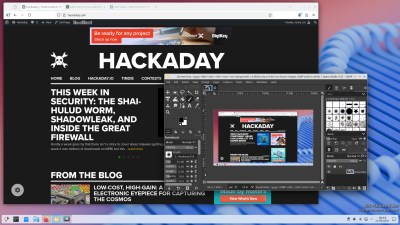
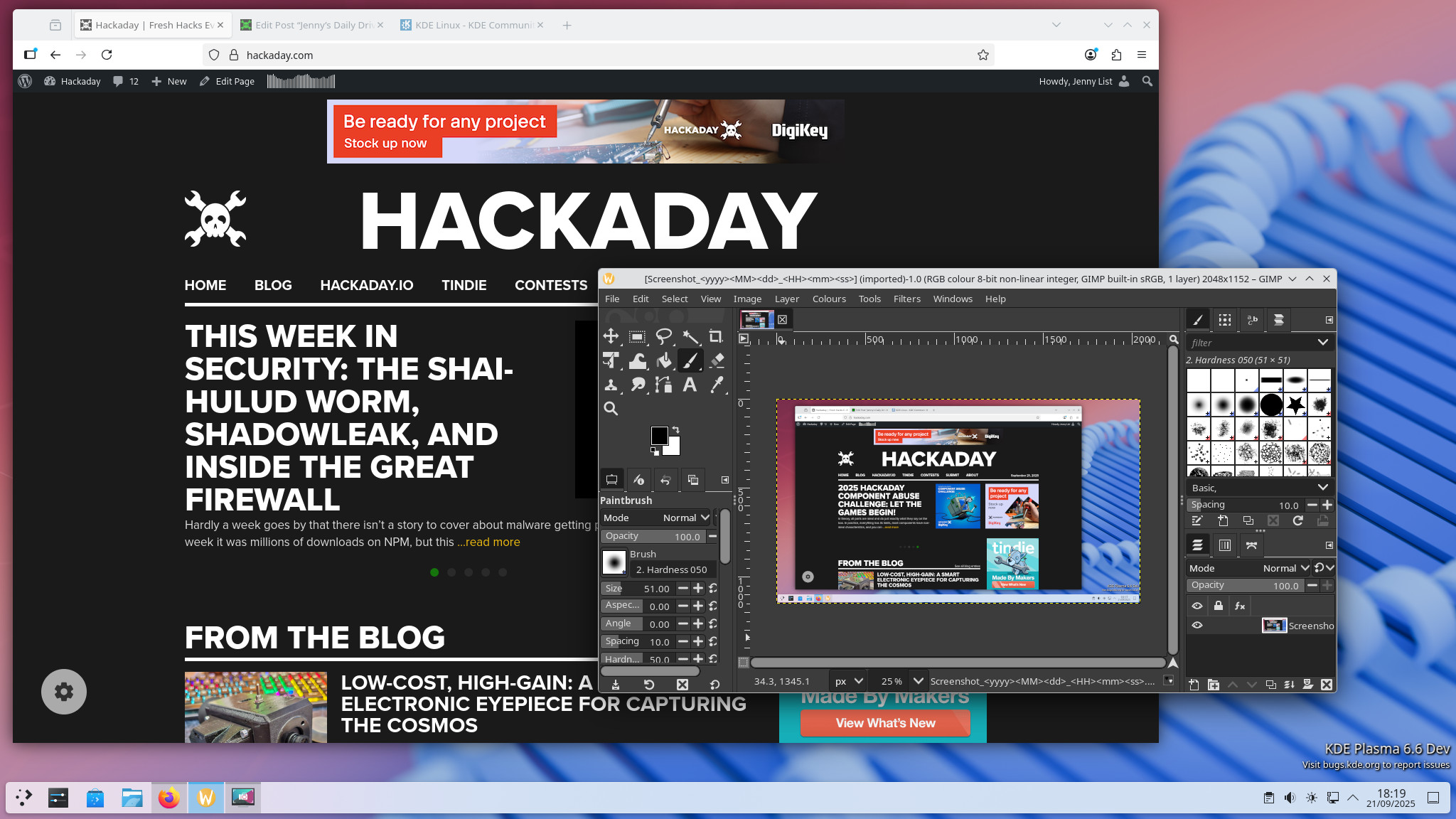
KDE is a very slick desktop, and this distro gives you the environment at its most well-oiled. I’m a GNOME user in my day to day life, but I say that not in some vi-versus-emacs sense of a software holy war; this is an environment in which everything is just right where you expect it. The sense of hitting the ground running is high here.KDE Linux does not have a traditional package manager due to its immutable nature, but we’re told it is capable of using Arch packages. Instead of a package manager it has Discover, which handles both updates and finding applications as prepackaged Flatpaks. As someone who’s had a very bad experience with Ubuntu’s frankly awful Snap packaging, I am instinctively suspicious of packaged applications, but I have to concede the experience of using Flatpak is much less painful than the Ubuntu equivalent. I installed my usual LibreOffice and GIMP alongside Firefox, and got on with writing and editing some Hackaday.
So, What’s It Like To Use?
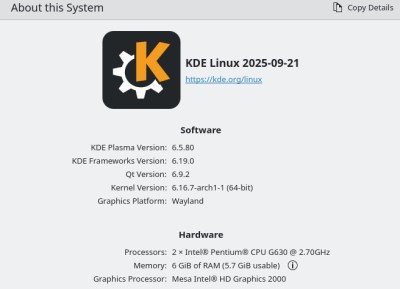
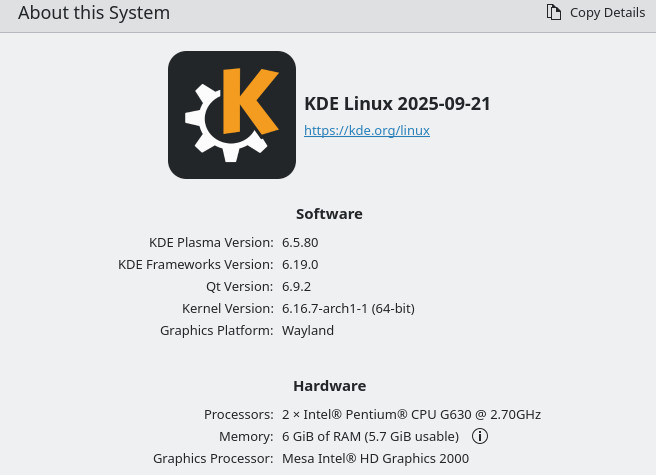
Hardly powerhouse hardware to test this system.
My test machine for this distro is not particularly quick, packing as it does a dual-core Sandy Bridge Pentium G630 and six gigabytes of memory. It’s saved from terminal sluggishness by having an SSD, but this is still decade old hardware at best. I selected it on purpose to gain a real idea of the performance; I know this machine is acceptable for day to day use running Manjaro so it gives me a good point for comparison.Since I’ve been using it now for a few days to do my work, I guess KDE Linux makes the grade. There are none of the endless wait dialogues I got with Ubuntu Snaps on a far faster machine, and while you can certainly feel the age of the hardware at times, it’s just as usable as the native Manjaro installation on the same hardware.
You come into contact with that immutable base every time you reboot your system, as recent upgrades appear in the boot menu. If something is wrong with the latest base version then booting back into the previous one is particularly easy and seamless. The disadvantage is that you won’t have all the nuts-and-bolts configuration you are used to with more conventional distros, and some software such as older Nvidia graphics card drivers may have problems.
So in KDE Linux, there’s a new-from-the-ground-up distribution that not only has the reference implementation of KDE, but also a well-thought-out and modern structure behind it. It’s alpha software at the moment so you may not want to make the jump just yet, but it definitely doesn’t feel like an alpha. This is probably the most pain-free Linux install and user experience I have ever had. It’s a definite everyday contender, and over the last three decades I must have installed a large number of different distros. If they can keep it maintained and reach a stable version there’s no reason why this shouldn’t become one of the go-to desktop distributions, which as I see it is quite an achievement. Well done KDE!

Gli ultimi otto messaggi ricevuti dalla Federazione
-
Giuli spende trenta milioni nostri per un Caravaggio....meloni urla anche stavolta?
-
I enjoyed and appreciated reading this post.
"I realized almost immediately that GNU/Linux and FreeBSD were so similar they were completely different."
This right here.
My initial impression with #FreeBSD in 2006 was quite similar. Of course, #Linux back then was a much different beast than what it has evolved (mutated?) into today.
Had I not pursued Linux system administration as a career, I *probably* would have stuck with FreeBSD.
We can make all the technical comparisons between the two OSes all day long but what drove my interest and enthusiasm are (1) the documentation and (2) the community.
-
@peacelink ma non sono riuscite ad evitare di sbavare mentre lo dicevano
-
@stefano Don’t bother filing a bug report. They will act stupid. Probably they are stupid about it. They think it is a bug. Actually the author probably wrote a program he knew was not a solution to the problem but which he could do on deadline and which was good enough for his job at HP.
-
@stefano Here is something new for you to be upset about, though, which affects everyone, Linux, BSD, illumos alike. I have been upset about it for over 20 years.
Read ‘man 5 fonts-conf’ or whatever your equivalent is. Read it carefully under ‘FONT MATCHING’. What it says is that a font is not chosen as you wished, but instead RANDOMLY. You are only LUCKY if you get the font you wished.
And if you experiment long enough you will find this is true.
Fontconfig is unfixable and must be scrapped.
-
L'Ucraina ha sviluppato nuovi missili balistici FP-7, analoghi all'ATACMS, ma due volte meno costosi
I test si stanno muovendo verso una nuova fase, i missili saranno testati direttamente in attacchi in Russia
-
E in omaggio la concessione decennale per l'uso di un pezzo di bosco demaniale.
-
@quinta non solo lo fa, ma se ne vanta pure.