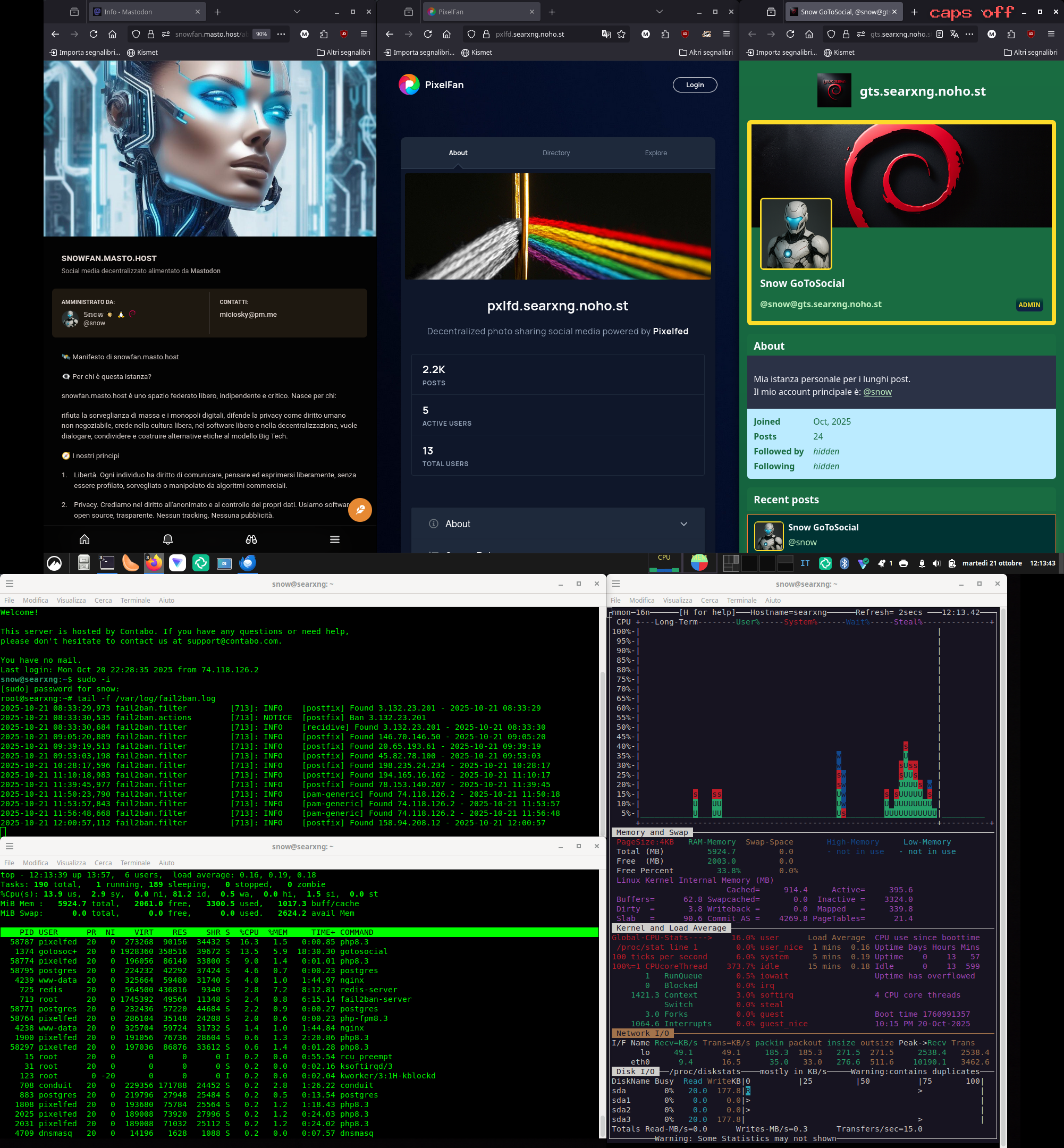
Che non mi si venga a dire che non controllo i miei server.😎
Uncategorized
8
Posts
3
Posters
37
Views
-
System shared this topic on
-
@snow non puoi farti uno script che controlla il tutto al posto tuo e ti avvisa solo quando c'è qualche problema?
-
@snow non puoi farti uno script che controlla il tutto al posto tuo e ti avvisa solo quando c'è qualche problema?
-
@snow certo che impareresti di più 😉
-
@snow certo che impareresti di più 😉
-
This post is deleted!
-
This post is deleted!
-
This post is deleted!


Gli ultimi otto messaggi ricevuti dalla Federazione
-
@MauroV1968 @Fabio
Se non ricordo male la Zastava era così perché aveva il portellone posteriore...
-
Carl Paffendorf (@pharmerfoto.bsky.social)
https://bsky.app/profile/pharmerfoto.bsky.social/post/3mhnlyuvs422d
> #AlphabetChallenge #WeekKforKaput #GhostSigns #Stunday Super Premium #PhotographersOfBluesky #BlueskyPhotography #Art #Photography #Broviravo #ECK
-
@ten700 Bisogna sempre essere corretti però. Di toots a favore del NO pubblicati oggi su vari server Mastodon ne ho visti a decine, quindi anche a chi vota NO frega nulla della legalità. Oggi non si fa campagna elettorale e le regole valgono sia per chi vota SI sia per chi vota NO. @mastrantoni
-
•
oh che fatica! 🙀I solved the daily #CluesBySam, Mar 22nd 2026 (Hard), in less than 21 minutes
🟡🟨🟩🟨
🟡🟨🟩🟨
🟡🟨🟨🟡
🟨🟩🟩🟩
🟨🟠🟨🟠
-
450 FSFE supporters affected: Payment provider Nexi cancelled us - FSFE
https://fsfe.org/news/2026/news-20260316-01.en.html
> Our long-term payment provider Nexi has terminated our contract without prior notice. As a result, our supporters’ recurring credit card and direct debit d...
-
Avanti con i NO!
#ReferendumGiustizia #ioVotoNO
-
Replaced Disqus with Mastodon-powered comments on my Hugo blog. The idea clicked as soon as I read @getajobmike's post. One tootId in the frontmatter, a web component by @dpecos doing the fetching, and Disqus is gone. No tracking. No ads.
Here's how I set it up on my blog: https://jonhnnyweslley.net/blog/mastodon-comments/
-
@seanbala first one as an adult. I read some in childhood.