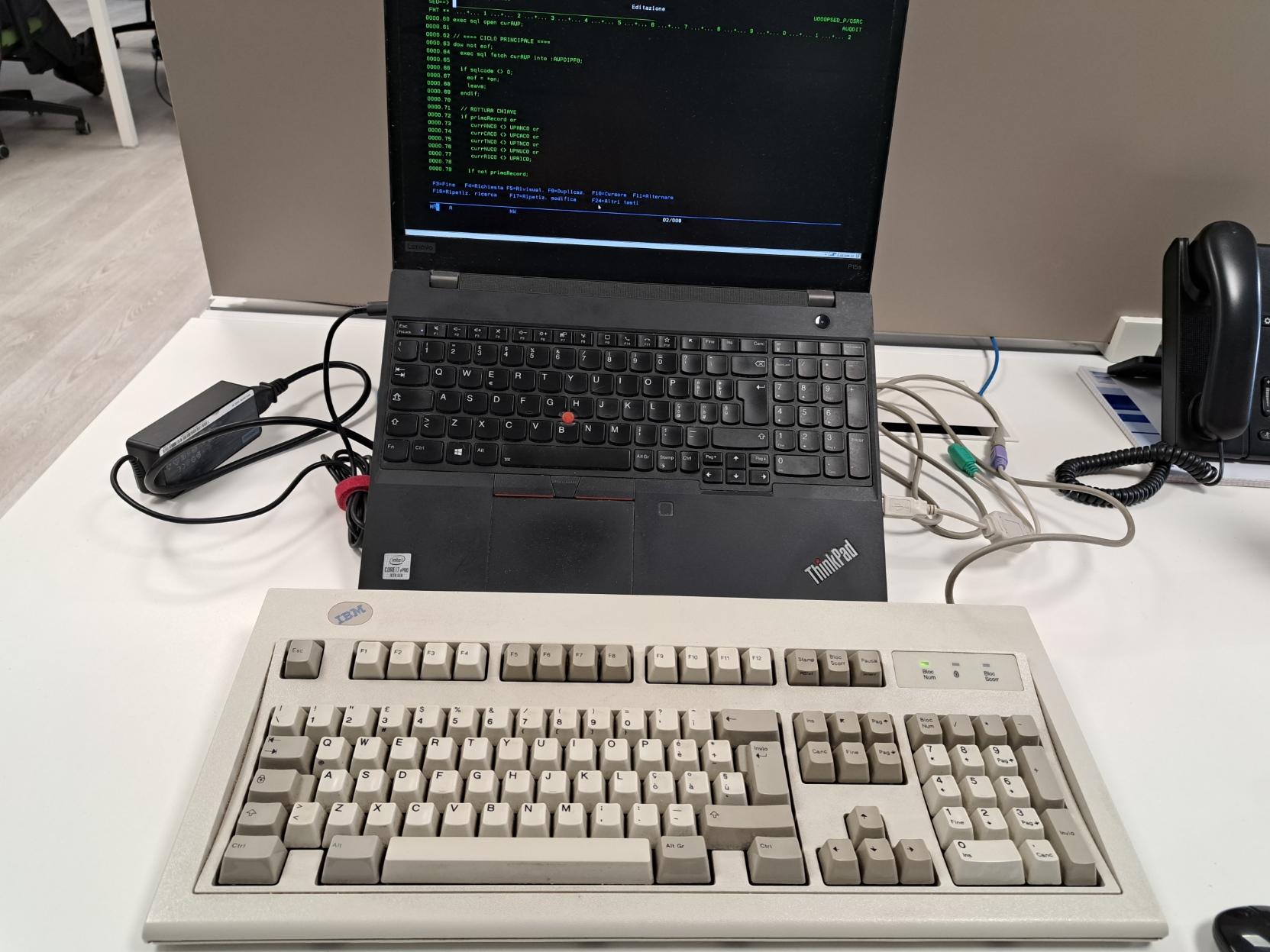
with great sadness i had to retire my trusty Ergodox Infinity, but: new keeb!
Uncategorized
55
Posts
40
Posters
59
Views

-
@SometimeHippy @molly0xfff out of curiosity, because videos and descriptions aren't being clear about it: does the bar on this one spring back, or stay where you slide it like the other models seem to do? and what does that imply for horizontal movement?
like is there a carriage return button so you can recenter without moving, or do you perhaps need to install drivers for absolute positioning? or if it springs back, do you have to swipe a couple times to move across the screen sometimes?
@groxx @molly0xfff It's a cylinder within the casing, so the rotation of the cylinder gives you the up/down movement. Left/right is done by the equivalent movement of the cylinder within. It doesn't spring back, but there is a button at end within the housing which sends the pointer out to the extreme in if you run out of movement. (I think! It's been ages since it became intuitive, and I don't have it in front of me right now). I've got a fast cursor, so don't usually hit the ends.
-
with great sadness i had to retire my trusty Ergodox Infinity, but: new keeb! expect typos as i learn how to type again
(MoErgo Glove80)
@molly0xfff people really really love their glove 80s. Hope you enjoy the feel and the soft easy keyswitches and that your hands and brain love you for it.
-
with great sadness i had to retire my trusty Ergodox Infinity, but: new keeb! expect typos as i learn how to type again
(MoErgo Glove80)
@molly0xfff I made so many typos with this thing until my hands relearned where everything was:
-
with great sadness i had to retire my trusty Ergodox Infinity, but: new keeb! expect typos as i learn how to type again
(MoErgo Glove80)
@molly0xfff out there typing like she’s driving a Battle Mech.
-
with great sadness i had to retire my trusty Ergodox Infinity, but: new keeb! expect typos as i learn how to type again
(MoErgo Glove80)
-
with great sadness i had to retire my trusty Ergodox Infinity, but: new keeb! expect typos as i learn how to type again
(MoErgo Glove80)
@molly0xfff I recently discovered the community firmware that gives you per-key RGB control and this is incredibly useful for my gaming layer that shifts a bunch of keys over by one so WASD is usable. I no longer have to think "wait is this one of the keys that I moved or is it normal?"
-
@molly0xfff i ain’t know thing one about ergnonomic keyboards, but GOSH i think this is such a cool-looking design
@beep @molly0xfff I can personally attest it feels amazing too! And reasonably priced relative to its competitors.
-
with great sadness i had to retire my trusty Ergodox Infinity, but: new keeb! expect typos as i learn how to type again
(MoErgo Glove80)
@molly0xfff I’m currently wondering if my ergo keyboard was a good idea. It is also ortholinear and while I have adjusted well to it, I’m now lost on a regular keyboard. Using my laptop as a laptop is now an exercise in frustration.
-
@molly0xfff I’m currently wondering if my ergo keyboard was a good idea. It is also ortholinear and while I have adjusted well to it, I’m now lost on a regular keyboard. Using my laptop as a laptop is now an exercise in frustration.
@wookieeboy oddly enough I seem to have two brain slots for "desk keyboard" and "laptop keyboard". going between my Ergodox and my laptop was no problem but when I had to briefly use a standard layout external keyboard at my desk it was very weird
-
with great sadness i had to retire my trusty Ergodox Infinity, but: new keeb! expect typos as i learn how to type again
(MoErgo Glove80)
@molly0xfff Ooh, I just got a Glove80 earlier this year! I moved from a 3D-printed hand-soldered one to this and missed my favorite mod: holding both layer keys to trigger “Hyper” (control-option-shift-command) for a bunch of custom shortcuts.
If that’s helpful for you, I’ll share the repo where I implemented it. You can use it with any layout and I’ll eventually get around to fixing up a PR to go upstream for ZMK itself.
-
@molly0xfff Ooh, I just got a Glove80 earlier this year! I moved from a 3D-printed hand-soldered one to this and missed my favorite mod: holding both layer keys to trigger “Hyper” (control-option-shift-command) for a bunch of custom shortcuts.
If that’s helpful for you, I’ll share the repo where I implemented it. You can use it with any layout and I’ll eventually get around to fixing up a PR to go upstream for ZMK itself.
@seth super handy! i’ve been using a layout based on TailorKey, which also has a hyper key shortcut (though triggered with different keys: https://sites.google.com/view/tailorkey/moergo/glove80/hotkey-glove80?authuser=0)











Gli ultimi otto messaggi ricevuti dalla Federazione
-
warmup sketch vs several hours of iteration
-
@Floppy TIL about Hy-Brasil!
-
I would like to be watching the Oscars but I have homework due tomorrow morning. #TheOscars #homework #etc
-
@countablenewt Does it understand the binary language of moisture vaporators?
-
-
@evan None of those. Just North America, which I don't know if it counts since I live here, and Europe. Oh, and what's the DR and Jamaica considered?
-
@n8 Wait till you find out about Númenor
-
C-3PO is the AI hardware companies are trying to build
Stick GPT-5.4 into a humanoid robot and you’ve got a protocol droid