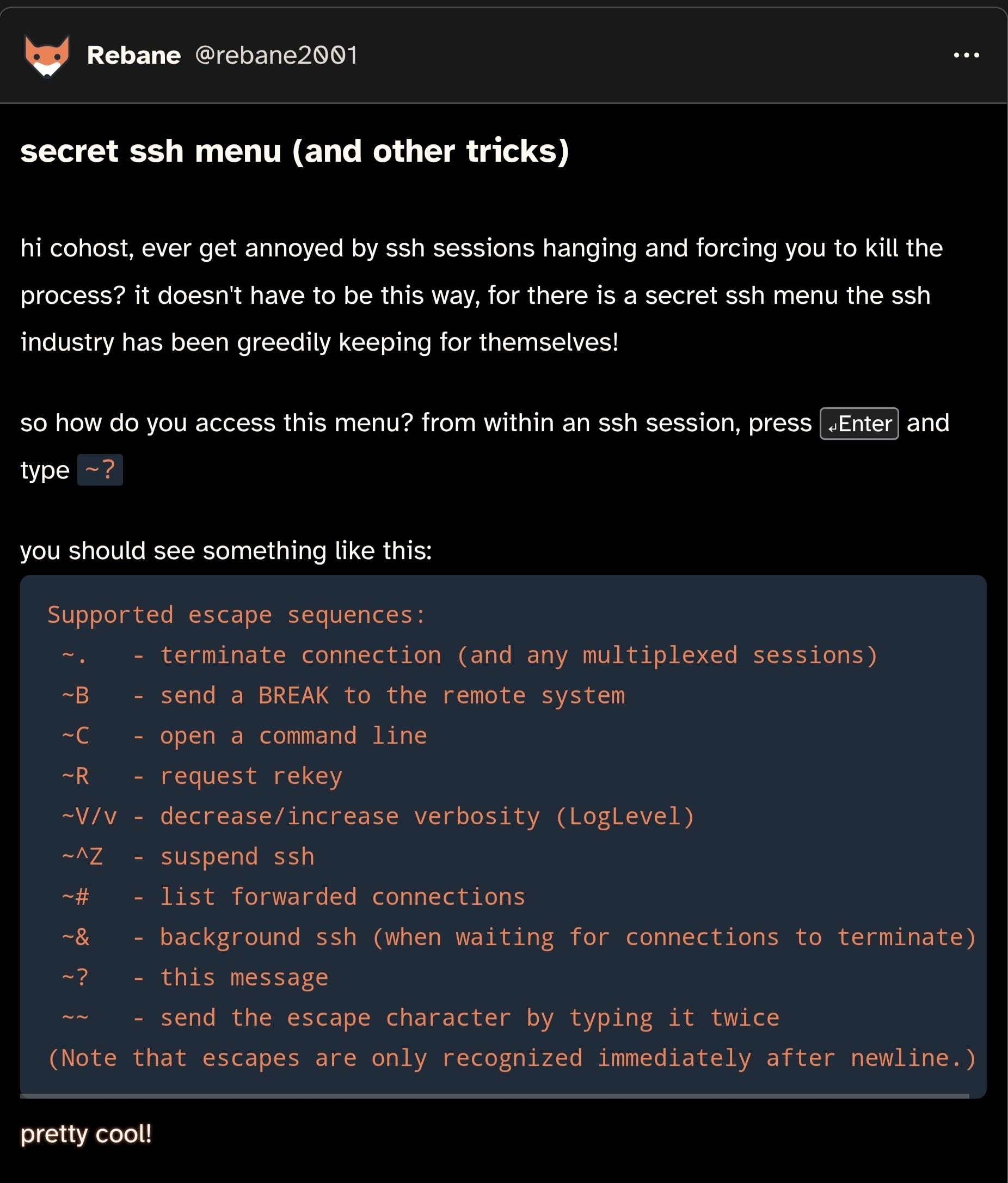
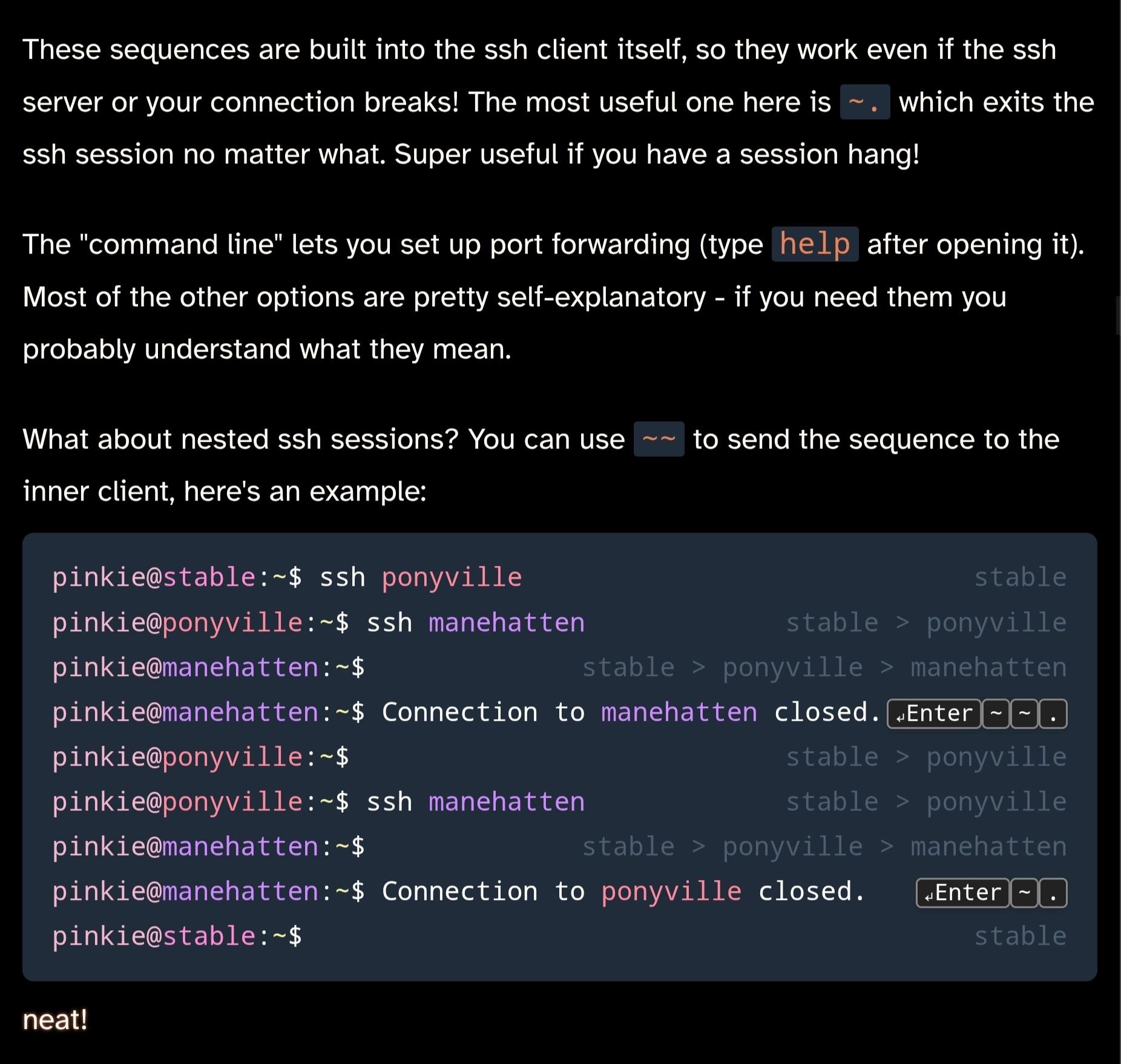
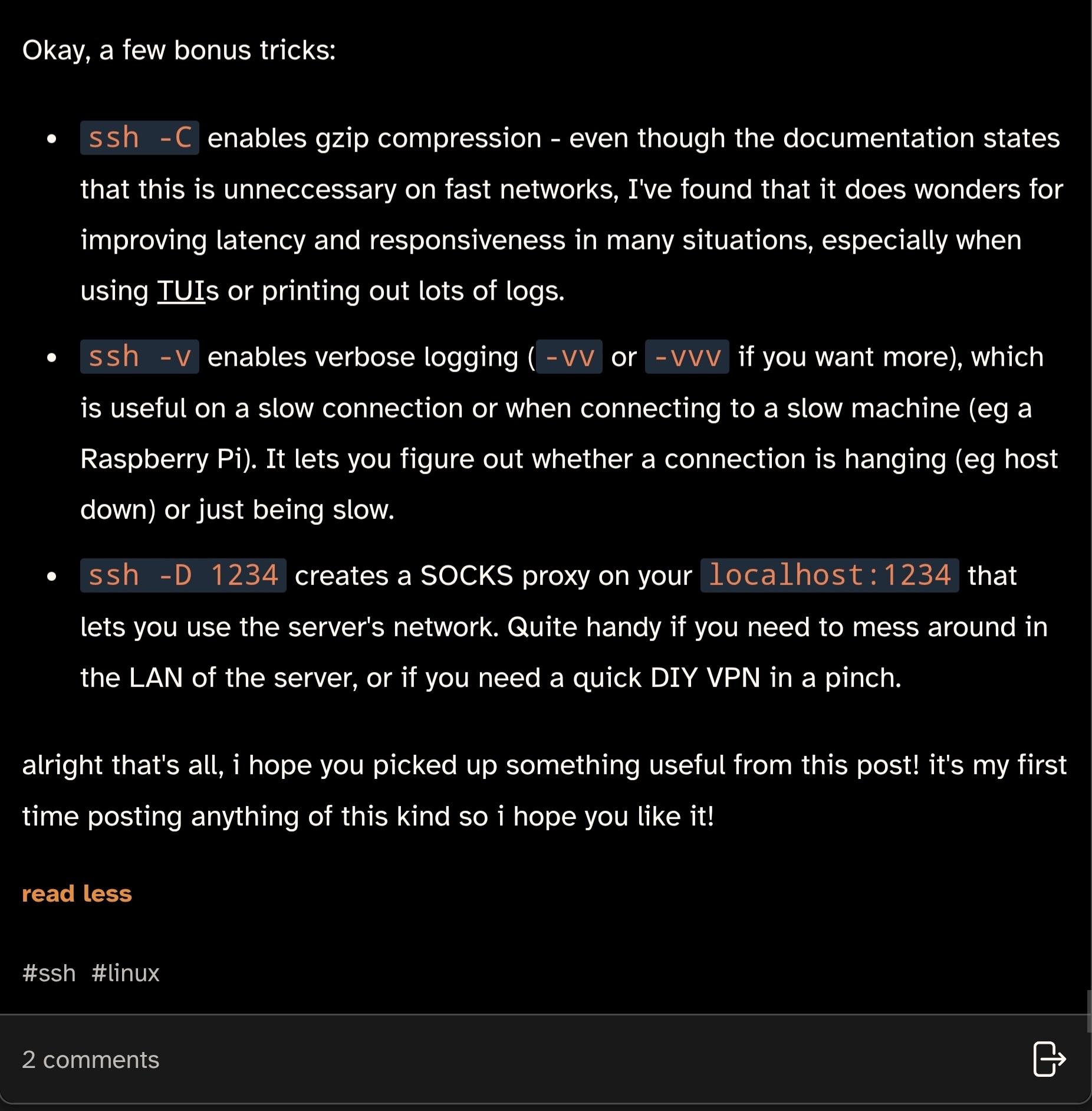
did you know that SSH has a little-known secret menu?
Uncategorized
45
Posts
30
Posters
1
Views
-
@agowa338 @rebane2001 you can change the binding!
@draeath @rebane2001
See the other post, that'd be possible if I wasn't a consultant jumping hundreds of systems spread out across different customers. Sometimes even just for a few days or weeks in some projects. In my situation getting upstream to accept changing it would even be easierChanging the binding on all of them or even just trying to find the ~ key itself is way more annoying than closing and reopening the terminal. Or when it is on a TTY switching to another and "killall -9 ssh".
-
did you know that SSH has a little-known secret menu?
i wrote a post about this on cohost a while back, but since that site shut down i'm posting it here too
@rebane2001 wha... no ... wha...
-
did you know that SSH has a little-known secret menu?
i wrote a post about this on cohost a while back, but since that site shut down i'm posting it here too
@rebane2001 Isn't this just the nerdiest thing I've seen today.
-
did you know that SSH has a little-known secret menu?
i wrote a post about this on cohost a while back, but since that site shut down i'm posting it here too
@rebane2001 @catsalad Isn’t that just an abbreviated man page?
-
did you know that SSH has a little-known secret menu?
i wrote a post about this on cohost a while back, but since that site shut down i'm posting it here too
@rebane2001 mind blown, thank you for sharing!
-
did you know that SSH has a little-known secret menu?
i wrote a post about this on cohost a while back, but since that site shut down i'm posting it here too
@rebane2001 I do enter tilde period A LOT and it’s a god send
-
did you know that SSH has a little-known secret menu?
i wrote a post about this on cohost a while back, but since that site shut down i'm posting it here too
@rebane2001, it doesn't even have to be Enter as there's no keycode checking going on; Return, Ctrl-M and (not really all that surprisingly) Ctrl-J all work equally well.
It's not enabled here by default (OpenSSH on Devuan; see ssh_config(5)), but it's trivial to do per-session:
ssh -e'~' USER@HOSTI can even use ^] if I want to (to a small extent) mimic telnet, either as that pair of characters representing Ctrl-] or the actual character itself (inserted as a literal via e.g. the shell's quote key).
-
did you know that SSH has a little-known secret menu?
i wrote a post about this on cohost a while back, but since that site shut down i'm posting it here too
@rebane2001 Only problem is: I would only use it to look up how to terminate a hanged connection, because I always forget which weird shortcut that is -- but opening this help menu requires me to remember already half the keys from that shortcut. 🥲
-
did you know that SSH has a little-known secret menu?
i wrote a post about this on cohost a while back, but since that site shut down i'm posting it here too
-
did you know that SSH has a little-known secret menu?
i wrote a post about this on cohost a while back, but since that site shut down i'm posting it here too
@rebane2001 Hey why are you using my hostnames! /jk
-
 undefined oblomov@sociale.network shared this topic
-
did you know that SSH has a little-known secret menu?
i wrote a post about this on cohost a while back, but since that site shut down i'm posting it here too
@rebane2001 Did not know this, thanks :)
-
 undefined paoloredaelli@mastodon.uno shared this topic










Gli ultimi otto messaggi ricevuti dalla Federazione
-
@tarta Un disegno animato monocromatico in blu raffigura una scena di una camera da letto con una persona su un letto e un gatto. La persona, vestita solo con una maglietta bianca e dei pantaloni, è in piedi sul letto con le braccia alzate e la bocca aperta come se stesse gridando, mentre un gatto bianco è seduto vicino al piede del letto. Sopra la persona, compare il testo "ALLAGARE I TUBI DI PRUAL!" con una linea ondulata, e a sinistra è scritto "POSTI DI COMBATIMENTO!". La stanza presenta un comodino con una lampada, un monitor del computer e una pila di libri, con prese di corrente visibili sulla parete blu. Un piccolo mobiletto è posizionato sul lato sinistro della stanza, e anche il pavimento è blu, con il nome dell'artista "TARTAROTTI" scritto nell'angolo in basso a destra.
Fornito da @altbot, generato localmente e privatamente utilizzando Qwen3-Vl:8b
🌱 Energia utilizzata: 0.218 Wh
-
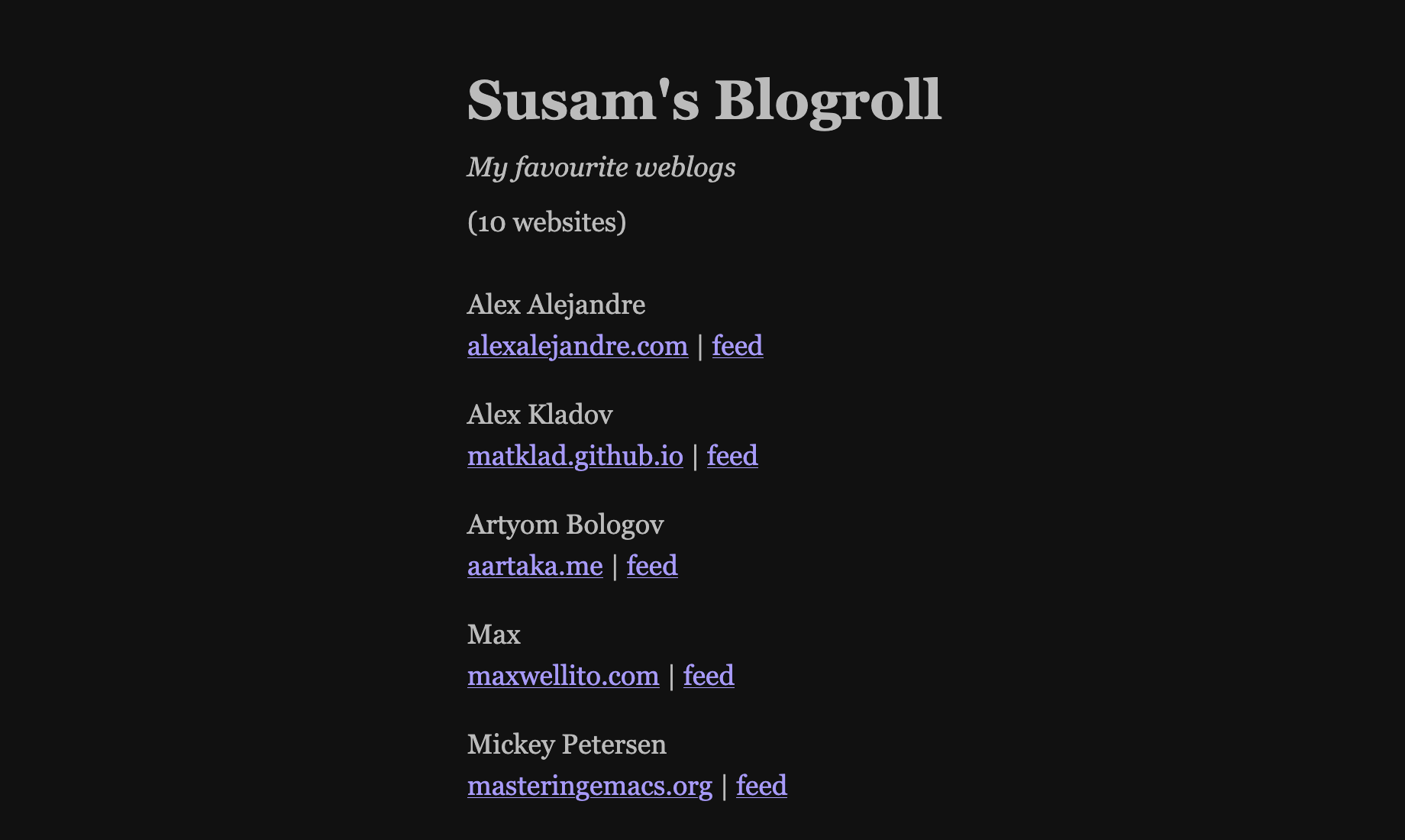
very cool that you included the OPML list at the end.
-
Esattamente 4 anni fa, a notte fonda, venivo svegliato da un forte rumore.
Per sicurezza ho esplorato la casa, non trovando nulla di strano.
La mattina seguente ho notato dei frammenti di vetro in soggiorno e ho visto che era esploso il vetro di protezione della lampada alogena a stelo.
Forse il vetro era crepato e le due molle che lo bloccavano l'hanno sbriciolato all'improvviso.
O forse c'è un dio degli spaghetti che mi ha mandato un avvertimento perché smetta di spezzarli.
-
@informapirata Pensa che non mi ero accorto di nulla... @fediverso
-
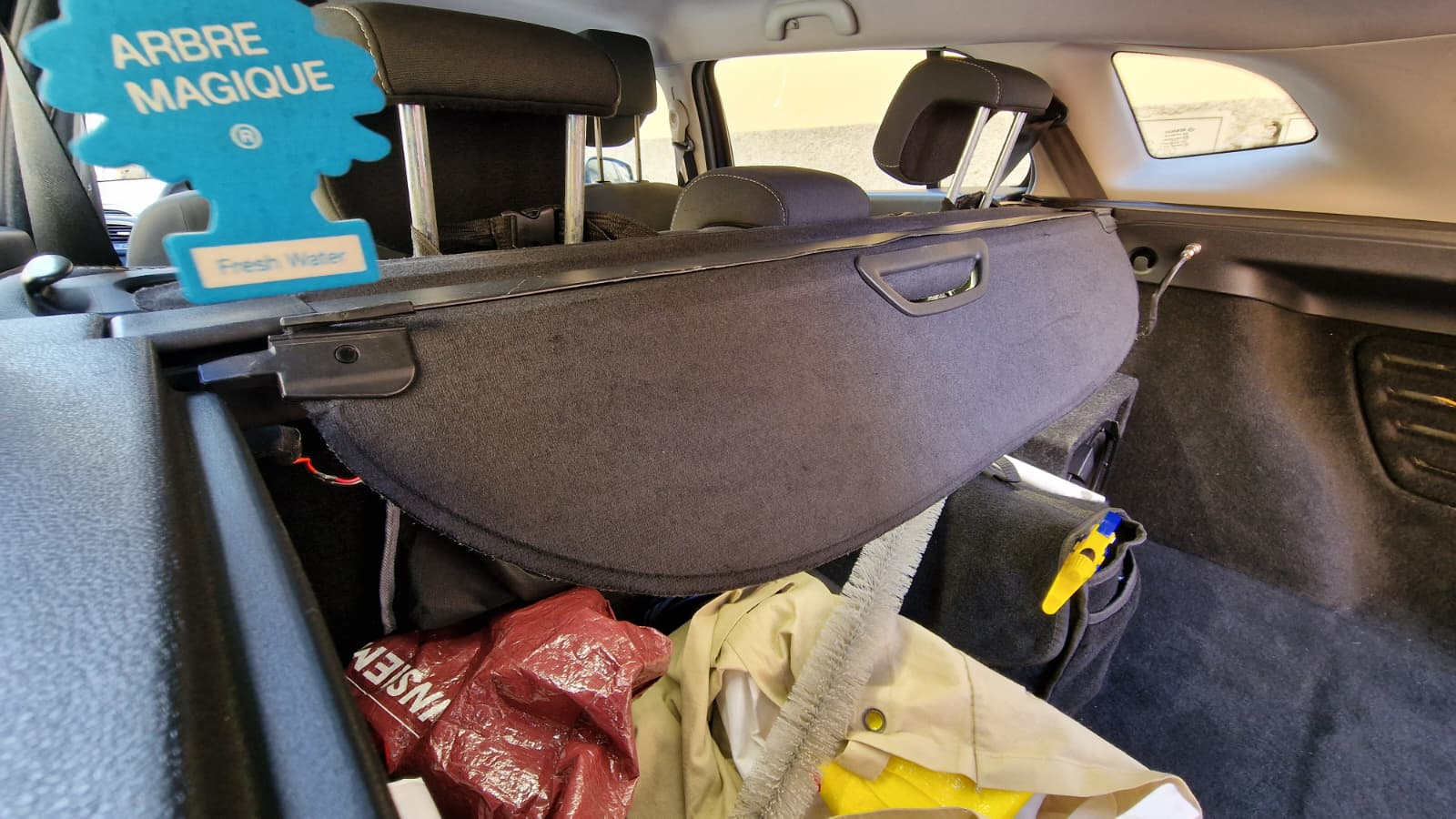
Come in Austin Powers, anch'io adesso ho il 'maipiùmoscio' 🤣
Un fastidio al buio quando mi serve luce nel bagagliaio e la tenda mi va a coprire i led, il fanalino laterale invece è utile come un Salvini in politica
Va comunque migliorato, mi da fastidio che non sia in piano con la guida
-
Stiamo arrivando rapidamente a "Machado chi?" dalle parti della Casa Bianca
Venezuela’s Machado Fights to Be Heard as Trump Embraces Rival
https://www.bloomberg.com/news/articles/2026-03-07/venezuela-s-machado-fights-to-be-heard-as-trump-embraces-rival
-
Mannaia all'Immaculata, mannaia mannaia.
Referendum – La campagna del governo è iniziata con un guaio - Il Post
https://www.ilpost.it/episodes/referendum-la-campagna-del-governo-e-iniziata-con-un-guaio/
-
@nlupo 500 Internal Server Error for me too 😲