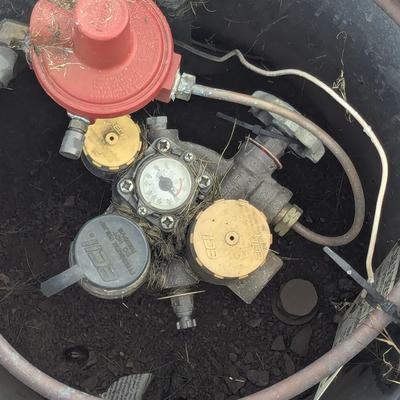
Hab mir gedacht ich fange jetzt auch mal mit diesem Server Rack Zeug an, mache ich das richtig?
Uncategorized
84
Posts
75
Posters
67
Views

-
Hab mir gedacht ich fange jetzt auch mal mit diesem Server Rack Zeug an, mache ich das richtig? #fedihelp
@FabioLeone94 make sure you use the "Fan" setting 👍
-
Hab mir gedacht ich fange jetzt auch mal mit diesem Server Rack Zeug an, mache ich das richtig? #fedihelp
@FabioLeone94
...nur als Laie, aber, glaub der Kühlschrank wär besser. -
Hab mir gedacht ich fange jetzt auch mal mit diesem Server Rack Zeug an, mache ich das richtig? #fedihelp
@FabioLeone94@chaos.social Da fehlt definitiv Käse
-
Hab mir gedacht ich fange jetzt auch mal mit diesem Server Rack Zeug an, mache ich das richtig? #fedihelp
@FabioLeone94 Betriebstemperatur ist in Rekordzeit erreicht.
-
Hab mir gedacht ich fange jetzt auch mal mit diesem Server Rack Zeug an, mache ich das richtig? #fedihelp
@FabioLeone94 das moderne server rack ist ein Mini PC in der Heißluftfritteuse
-
Hab mir gedacht ich fange jetzt auch mal mit diesem Server Rack Zeug an, mache ich das richtig? #fedihelp
@FabioLeone94
Wichtig, nur Unterhitze, damit die Platine cross bleibt und bitte °C und °F nicht verwechseln. -
Hab mir gedacht ich fange jetzt auch mal mit diesem Server Rack Zeug an, mache ich das richtig? #fedihelp
Da fehlt der Teig auf dem Blech.
-
@FabioLeone94@chaos.social oo now i wanna turn an old oven into a rack,, you get double walls for cable management & even a door & light !!!
@mint @FabioLeone94 and a nice big fan if it's convection
-
@FabioLeone94 mmmmmm... cookies...
@FabioLeone94 Oh, is this what the cookie banner hardware looks like?
-
Hab mir gedacht ich fange jetzt auch mal mit diesem Server Rack Zeug an, mache ich das richtig? #fedihelp
@FabioLeone94 wenn das Gerät nicht mehr funktioniert: 250°C für 5 min. Wie bei Grafikkarten, ist doch klar.
-
Hab mir gedacht ich fange jetzt auch mal mit diesem Server Rack Zeug an, mache ich das richtig? #fedihelp
@FabioLeone94 @catsalad
Chat, are we cooked? -
@FabioLeone94 @catsalad
Chat, are we cooked?@FritzAdalis @catsalad we are baked
-
Hab mir gedacht ich fange jetzt auch mal mit diesem Server Rack Zeug an, mache ich das richtig? #fedihelp
@FabioLeone94 Senken Sie es um eins oder Sie verbrennen die Oberseite, bevor die Mitte gebacken ist.
<Schlecht vom Computer übersetzt>
-
Hab mir gedacht ich fange jetzt auch mal mit diesem Server Rack Zeug an, mache ich das richtig? #fedihelp
@FabioLeone94
Ich nenn' die 1U Dinger ja auch Pizzaschachtel, aber so ist das nicht gemeint! -
Hab mir gedacht ich fange jetzt auch mal mit diesem Server Rack Zeug an, mache ich das richtig? #fedihelp
@FabioLeone94 almost every appliance these days has a computer in it.
-
Hab mir gedacht ich fange jetzt auch mal mit diesem Server Rack Zeug an, mache ich das richtig? #fedihelp
@FabioLeone94 kommt darauf an, was du vor hast. Für Hack&Back sieht das aber sehr gut aus.
-
@jenbyte meow oki
-
Hab mir gedacht ich fange jetzt auch mal mit diesem Server Rack Zeug an, mache ich das richtig? #fedihelp
@FabioLeone94 Nailed it!
-
Hab mir gedacht ich fange jetzt auch mal mit diesem Server Rack Zeug an, mache ich das richtig? #fedihelp
Die SZ100 Serie sollte nicht bei mehr als 40°C betrieben werden
-
Hab mir gedacht ich fange jetzt auch mal mit diesem Server Rack Zeug an, mache ich das richtig? #fedihelp
@FabioLeone94 Und deswegen braucht man einen AirFryer :D















Feed RSS
Gli ultimi otto messaggi ricevuti dalla Federazione
-
Benvenuta di Mario Benedetti (Uruguay, 1920 – 2009)
Mi salta in mente che arriverai diversa
non propriamente più bella
né più forte
né più docile
né più cauta
è solo che arriverai diversa ... https://cctm.website/mario-benedetti-benvenuta/#MarioBenedetti #poesia #cctmwebsite #anoipiaceleggere #leggere #amore
-
@jackdaniel You should make a bumper sticker "Moore's law is my garbage collector".
-
Comunque logo pazzesco, secondo solo al trefoil della adidas
-
Partiti ora da FI con 35 minuti di ritardo (rispetto ai 15 annunciati, CVD) e già fermi di nuovo.
Il candidato indichi, con parole sue,quanti saranno stasera i minuti di ritardo?
-
@ballalloi non sapevo che Giorgio La Malfa fosse ancora vivo.
Un tempo erano erano liberali di sinistra e anticlericali, mazziniani e antifascisti, poi dopo l'avvento della repubblica divennero un partitino centrista e liberale. Oggi non saprei, però ho appena scoperto che a parte esistere e fare convegni si presentano anche alle elezioni https://it.wikipedia.org/wiki/Partito_Repubblicano_Italiano#Elezioni_politiche_del_2022,_europee_del_2024_e_regionali_del_2024-2025
-
@DigiDavidex @mahteo daje, che culo XD
Mi ricorda la storia di un uomo con un biglietto aereo, vediamo se la trovo...
-
-
Sto pensando alla classe dirigente italiana.
E sono impietrito dall'orrore.I faraoni egizi avevano medici specializzati in diverse parti del corpo, ognuno con il proprio titolo. Il più curioso era sicuramente quello del guardiano dell'ano del Faraone, uno specialista in salute rettale e intestinale.
Il guardiano dell'ano del Faraone, un medico che faceva il lavoro sporco
https://www.storicang.it/a/il-guardiano-dellano-faraone-medico-che-faceva-il-lavoro-sporco_17476