when do you usually use the man page for a complex command line tool to answer a question you have?
Uncategorized
272
Posts
207
Posters
0
Views
-
i'm very curious about everyone who says "I'd look there first", if I want to figure out how to do something new I think I'll usually google how to do it rather than look at the man page, and then maybe later look at the man page to look up the details
(I've gotten enough of these answers:
- "I like that man pages don't require changing context"
- "with the man page I know I have the right version of the docs")@b0rk for me I think it’s muscle memory from having learned Linux/BSD in the mid 90s. Web search wasn’t nearly as effective then, so there wasn’t much choice.
That it has worked well enough and doesn’t require context switching to a browser is probably why I still prefer it today.
-
i think part of the reason I'm feeling interested in man pages right now even though I rarely use them is that search has gotten so much worse, it's frustrating, and it makes it feel more appealing to have trustworthy sources with clear explanations
also it just occurred to me that the one time I wrote a command line tool (https://rbspy.github.io/) I didn't write a man page for it, I made a documentation website instead. I don't remember even considering writing a man page, probably because I rarely use man pages
(not looking to argue about whether command line tools "should" have man pages or not, just reflecting about how maybe I personally would prefer a good docs website over a man page. Also please no "webpages require internet")
-
i'm very curious about everyone who says "I'd look there first", if I want to figure out how to do something new I think I'll usually google how to do it rather than look at the man page, and then maybe later look at the man page to look up the details
(I've gotten enough of these answers:
- "I like that man pages don't require changing context"
- "with the man page I know I have the right version of the docs")@b0rk I personally found that doing a complete read of the manpage of a new tool gives me a fairly good idea of what sort of problem the authors wanted to solve, even if I don't recall specific parameters later. Also whenever i run into a weird command somewhere, I look up what all the flags do, both to understand the subtleties and to "prime the cache", so to speak.
Also-also, at least on Debian, a _lot_ of things have manpages, like file formats or some helper scripts. And they have neat references to one another at the end. It's basically a proto-web.
-
@b0rk The Unix User's/Programmer's Manual is the *reference* documentation, but was never intended to provide introductory guides or conceptual overviews — as originally distributed those were separate documents. The man page should tell you how to do the thing when you already know what you want and that there's a command/function to do it, and you just need the invocation details. Unfortunately the higher level conceptual documentation has fallen by the wayside.
@b0rk The broadening of the programming environment has also taken its toll. The manual covers C and shell programming, but a lot of work today is in different language environments that have their own documentation, some good and some bad. Even in the standard utilities, something like awk or sed is very difficult to learn from the reference manual. Perl at least was always good at making manual pages for every installed package, but they depend on authors to get the information structure down.
-
also it just occurred to me that the one time I wrote a command line tool (https://rbspy.github.io/) I didn't write a man page for it, I made a documentation website instead. I don't remember even considering writing a man page, probably because I rarely use man pages
(not looking to argue about whether command line tools "should" have man pages or not, just reflecting about how maybe I personally would prefer a good docs website over a man page. Also please no "webpages require internet")
@b0rk there's also the aspect that man pages are stored on my system when the tool is installed, whereas websites inevitably disappear over time and can be temporarily inaccessible for any number of reasons
-
also it just occurred to me that the one time I wrote a command line tool (https://rbspy.github.io/) I didn't write a man page for it, I made a documentation website instead. I don't remember even considering writing a man page, probably because I rarely use man pages
(not looking to argue about whether command line tools "should" have man pages or not, just reflecting about how maybe I personally would prefer a good docs website over a man page. Also please no "webpages require internet")
@b0rk i've begun to feel more strongly that i need manual pages for everything, and good ones at that. the problem is manpages are stupidly hard to write, and duplicate a lot of stuff from --help. i always solve this by converting from markdown, and generally failing at DRY
-
@b0rk The broadening of the programming environment has also taken its toll. The manual covers C and shell programming, but a lot of work today is in different language environments that have their own documentation, some good and some bad. Even in the standard utilities, something like awk or sed is very difficult to learn from the reference manual. Perl at least was always good at making manual pages for every installed package, but they depend on authors to get the information structure down.
@wollman this all makes a lot of sense to me, personally I've never been a C programmer and so the classic "unix reference manual" style always feels like a bit of an alien life form and like it came from a different time.
-
also it just occurred to me that the one time I wrote a command line tool (https://rbspy.github.io/) I didn't write a man page for it, I made a documentation website instead. I don't remember even considering writing a man page, probably because I rarely use man pages
(not looking to argue about whether command line tools "should" have man pages or not, just reflecting about how maybe I personally would prefer a good docs website over a man page. Also please no "webpages require internet")
@b0rk I suppose that adding a man page requires extra hurdles of not just creating the man page itself, but packaging your tool such that the man page gets installed along with it. Now you have to make a .deb and and .apt and whatever else, instead of just saying "download this script or executable and run it."
-
@karabaic I've never used openbsd but I'm so curious about the openbsd man page culture because of how people talk about it
do you know if there's anywhere that I can read about the documentation philosophy or about how people relate to it?
@b0rk The FAQ on posting to the openbsd.misc group is a good place to start. after reading man intro. I'd then check the contribution standards on the project.
It's considered incomplete to try to check in code with user-visible functionality that's not explained in the accompanying man page so it can be tested with by reading that page.
-
also it just occurred to me that the one time I wrote a command line tool (https://rbspy.github.io/) I didn't write a man page for it, I made a documentation website instead. I don't remember even considering writing a man page, probably because I rarely use man pages
(not looking to argue about whether command line tools "should" have man pages or not, just reflecting about how maybe I personally would prefer a good docs website over a man page. Also please no "webpages require internet")
@b0rk I've written a few command line tools over the years that launch a web broswer to display stuff.
I'll keep the idea of having a docs subcommand spawn a local web server and broswer to view guides, could be useful.
-
i'm very curious about everyone who says "I'd look there first", if I want to figure out how to do something new I think I'll usually google how to do it rather than look at the man page, and then maybe later look at the man page to look up the details
(I've gotten enough of these answers:
- "I like that man pages don't require changing context"
- "with the man page I know I have the right version of the docs")@b0rk The man page is closer to the source of information, rather than some random website one found via web search. Plus, given differences between OSs/distro releases, how do you know what you get from a web search matches up with what you have actually installed?
-
@b0rk there's also the aspect that man pages are stored on my system when the tool is installed, whereas websites inevitably disappear over time and can be temporarily inaccessible for any number of reasons
@b0rk do we need a --help that starts a local web server hosting a doc page which is way easier to read and navigate than a man page? 🤔
-
i'm very curious about everyone who says "I'd look there first", if I want to figure out how to do something new I think I'll usually google how to do it rather than look at the man page, and then maybe later look at the man page to look up the details
(I've gotten enough of these answers:
- "I like that man pages don't require changing context"
- "with the man page I know I have the right version of the docs")I always go to --help first to get an idea of what my options are or to scope my question better, then I can search for examples using whatever option vs searching "how to X" if that makes sense
-
@b0rk I suppose that adding a man page requires extra hurdles of not just creating the man page itself, but packaging your tool such that the man page gets installed along with it. Now you have to make a .deb and and .apt and whatever else, instead of just saying "download this script or executable and run it."
@tartley yea I'm not sure if anyone's ever packaged rbspy for Debian because (at least at the time) packaging Rust projects for Debian was hard or maybe impossible
-
@b0rk do we need a --help that starts a local web server hosting a doc page which is way easier to read and navigate than a man page? 🤔
@aburka that's what fish does! Well it just opens the HTML file in the browser, no need to start a local web server for those docs
-
@b0rk The broadening of the programming environment has also taken its toll. The manual covers C and shell programming, but a lot of work today is in different language environments that have their own documentation, some good and some bad. Even in the standard utilities, something like awk or sed is very difficult to learn from the reference manual. Perl at least was always good at making manual pages for every installed package, but they depend on authors to get the information structure down.
@b0rk tcl, as I recall, shipped with a whole new "section" of manual pages for its intrinsics that you could opt to install, but I don't know anyone who actually wanted that. That was in the days when any system worth its salt shipped with at least nroff and -man macros — some systems made that a separately licensed add-on, forcing third-party software distributors to ship preformatted documentation. That was probably the start of the downfall, because it opened up the options for doc authoring.
-
when do you usually use the man page for a complex command line tool to answer a question you have? (like git, openssl, rsync, curl, etc)
(edit: no need to say "i use --help then man")
@b0rk I think most man pages have a lot of detail and are great resources. But.....While they go into great detail they lack the concept of basic use. Take the tar command. Great compression utility with lots of options. Most people just want to decompress files. How do you do that? I had to search on google for the answer. Yes the proper syntax was buried in the man page in different parts. I think a basic command example at the begining of the man page about what most will be using the utility for would help.
-
when do you usually use the man page for a complex command line tool to answer a question you have? (like git, openssl, rsync, curl, etc)
(edit: no need to say "i use --help then man")
@b0rk I typically start with `-h/--help` flags to see any obvious answer. Then move to man pages after the fact. If I can't find the answer there then move up to a web search.
-
also it just occurred to me that the one time I wrote a command line tool (https://rbspy.github.io/) I didn't write a man page for it, I made a documentation website instead. I don't remember even considering writing a man page, probably because I rarely use man pages
(not looking to argue about whether command line tools "should" have man pages or not, just reflecting about how maybe I personally would prefer a good docs website over a man page. Also please no "webpages require internet")
@b0rk I've written man pages before when building internal tools. It was fun learning the ROFF language or whatever. Part of my reluctance to do it with general tools is the requirement to install them as satellite files which is a bit of a pain when it comes to single binary downloads.
I know there's alternate locations you can put them, like
/usr/local/manand even$HOME/.local/share/manthe directory structure after that is also a bit of a pain. 😅 And then there's the need to remember to clean them up after the fact if you no longer use the tool.It'd be neat if some of these apps had the ability to drop the files and a cleanup step to remove them so they could still be single binary. Another thought would be extending man to see if the the requested page is available normally, and if not, see if there's a binary in the path that matches that name? Maybe the man page could be embedded in another section so it didn't have to be executed to generate help? 🤔
-
@b0rk I typically use -h or --help first, then the man page if necessary.
@bortzmeyer @b0rk same. and then web search if the man page is unhelpful. i think part of it is trying to avoid a context switch from the terminal?

















Feed RSS
Gli ultimi otto messaggi ricevuti dalla Federazione
-
Ragazzi qui le idee non mancano eh, qui è un brainstorming continuo
-
@jguillaumes The sex industry entrepreneur who is first to market with a RealFlesh™ Fleshlight is going to make a killing …
-
Hi All, Hack & Craft is starting in about 10 minutes! I hope you'll join us from 2-4 ET.
https://fossandcrafts.org/hack-and-craft/
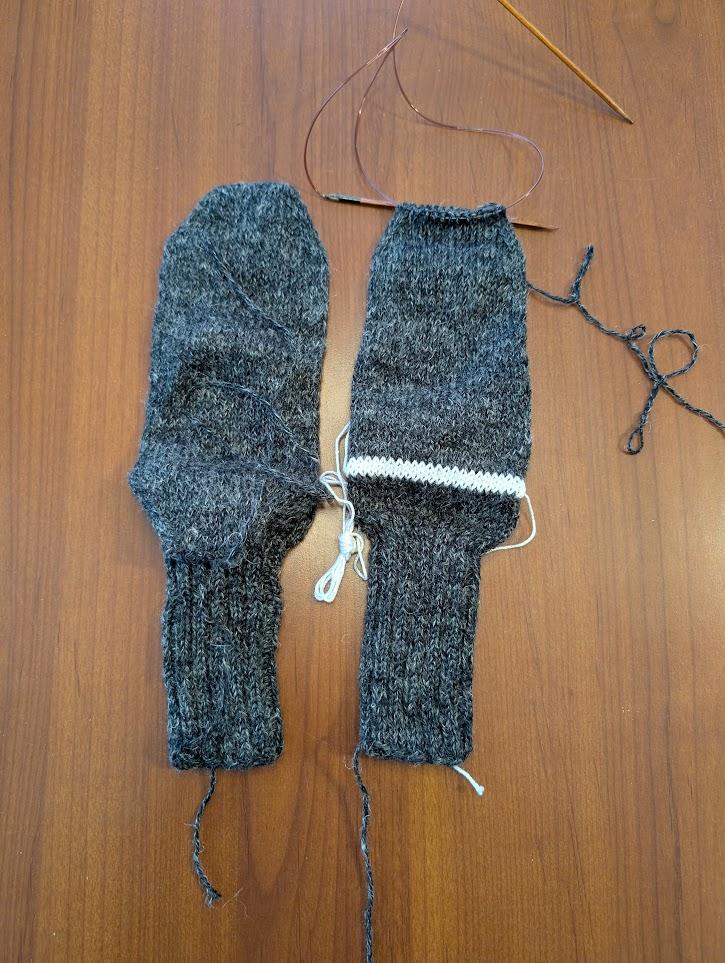
My back is killing me from shoveling snow, so I'll be finishing these socks from the ergonomic comfort of my couch!
-
Ai gatti riesce senza fatica ciò che resta negato all’uomo: attraversare la vita senza far rumore.
Ernest Hemingway
#caturday #ErnestHemingway #cctmwebsite #anoipiaceleggere #leggere
-
Confermato il rinvio del lancio della missione Artemis II verso la Luna. A causa dell'interruzione del flusso di elio è necessario riportare il razzo SLS per delle riparazioni nell'edificio dove è stato assemblato. Impossibile lanciare a marzo
-
@AleF2050 well I do not mean my post for that, anyways. It's how he's taking its stand, considering critics as ignorants. Not doing his best.
-