Claude Code's native installer is now generally available.
Uncategorized
4
Posts
1
Posters
2
Views

-
Claude Code's native installer is now generally available.
It's simpler, more stable, and doesn't require Node.js. We recommend this as the default installation method for all Claude Code users going forward. -
Claude Code's native installer is now generally available.
It's simpler, more stable, and doesn't require Node.js. We recommend this as the default installation method for all Claude Code users going forward.What’s improved with the native installer:
- The auto-updater is now more stable: users should run into fewer failed updates and bricked installs
- Claude Code is a single, self-contained executable, and no longer has a Node.js dependency -
What’s improved with the native installer:
- The auto-updater is now more stable: users should run into fewer failed updates and bricked installs
- Claude Code is a single, self-contained executable, and no longer has a Node.js dependencyIf you’re already using Claude Code, you can migrate to the new installer:
Close all Claude Code sessions
Run `claude install` in your terminal
For Alpine and musl/uClibc-based distributions, see our full docs below before updating. -
If you’re already using Claude Code, you can migrate to the new installer:
Close all Claude Code sessions
Run `claude install` in your terminal
For Alpine and musl/uClibc-based distributions, see our full docs below before updating.If you’re new to Claude Code, you can now install using Homebrew:
`brew install --cask claude-code`
See the docs for more installation methods across platforms: https://docs.claude.com/en/docs/claude-code/setup -
 undefined nicfab@fosstodon.org shared this topic on

Gli ultimi otto messaggi ricevuti dalla Federazione
-
@filobus Il concetto è lo stesso del multistrato che si usa sui satelliti: ci sono più strati di cui quello più esterno frammenta il micrometeorite in pezzi più piccoli e quelli più interni li arrestano. Ovviamente la protezione è parziale e arriva credo fino a una dimensione dell'ordine di un millimetro: con i detriti più grandi non è sufficiente.
-
-
@andrea_ferrero e cosa permette loro di difendere dai micro meteoriti? Pensavo appunto visto la velocità che non ci fosse difesa (pensavo che sarebbe già tanto se si richiudessero o non facessero comunque uscire l'ossigeno)
-
This post did not contain any content.
-
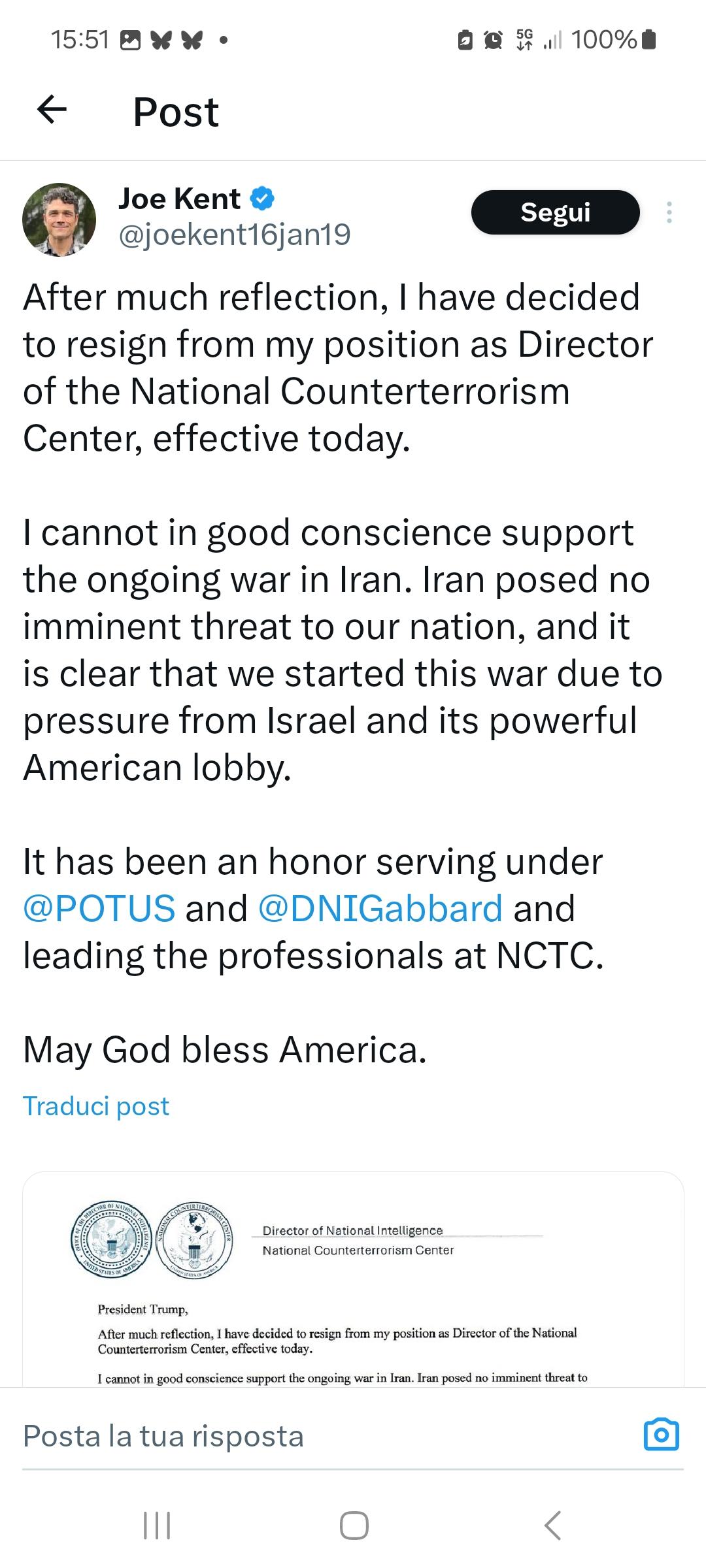
Kent è un alleato politico di Tulsi Gabbard. La sua storia personale è segnata dalla morte della moglie, militare, nel 2019. Nelle dimissioni accusa l'amministrazione di essersi fatta trascinare in guerra da Israele.
National Counterterrorism Center director resigns over Iran war https://www.nbcnews.com/politics/national-security/national-counterterrorism-center-resigns-iran-war-rcna263692
-
Poiché i componenti risalgono agli anni Ottanta, queste tute sono spesso più “vecchie” degli astronauti che le indossano e hanno ampiamente superato la vita operativa prevista, manifestando pericolosi malfunzionamenti, come le perdite d’acqua nel casco che nel 2013 hanno fatto rischiare la vita a Luca Parmitano.
-
La EMU americana, progettata per l'era dello Space Shuttle, è un sistema modulare costruito originariamente in 18 unità fino al 1982. Non è mai stata sostituita da modelli più recenti. Oggi sulla ISS ne restano operative solo quattro unità, soggette a manutenzione da parte di Collins Aerospace.
-
A differenza della EMU, la Orlan utilizza un design monoblocco a ingresso posteriore: lo zaino posteriore funge da sportello, permettendo all'astronauta di vestirsi autonomamente in pochi minuti, mentre la EMU richiede assistenza. Un’altra importante differenza tra i due progetti è questa: la EMU è modulare e si adatta alle misure dei vari astronauti con pezzi di diverse taglie, mentre la Orlan è "taglia unica" e viene regolata tramite un sistema di pulegge e cavi interni.