What if Stack Overflow, except federated?
PieFed Meta
27
Posts
16
Posters
40
Views
-
hopefully search engines will actually index it
Mixed bag
What the engines index, the LLMs ingest
-
I'd like to see the
answerproperty on the thread containing the ID of the marked answer. Any chance that this would be possible? -
I'd like to see the
answerproperty on the thread containing the ID of the marked answer. Any chance that this would be possible?bentigorlich@gehirneimer.de having
answerbe an ID also works with existing implementations because it's still truthy...Although I think "truthy" is a purely js concept lol
-
Our Fedi future... is PieFed
Speak for yourself about the future, for me it is already here in the present! 🤩
-
Mixed bag
What the engines index, the LLMs ingest
Why bother posting solutions if no one's going to read them because they are undiscoverable
-
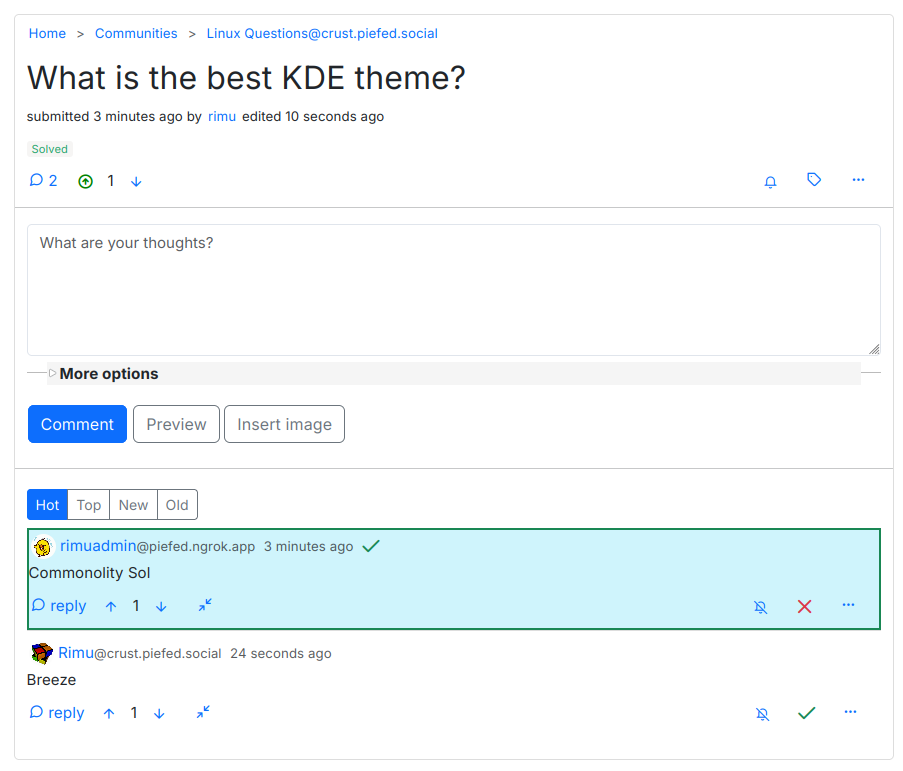
PieFed v1.4 will have Stack Overflow-like functionality: the person who posted a question will be able to choose which of the replies are the answer, by clicking the green tick icon in the bottom left. Chosen answer(s) then have a highlight and a green tick at the top of them.
This is off by default - communities have a checkbox on them that needs to be toggled to turn it on. So only some communities will have it.
To Lemmy instances, these questions and answers will look just like normal posts and comments, without the highlight and tick. So people using Lemmy will be able to contribute.
Designating which comment is an answer involves federating a new Activity:
{ "id": "https://piefed.social/activities/answer/hgb4iO4b8UAFRTn", "type": "ChooseAnswer", "actor": "https://piefed.socialz/u/rimu", "object": "https://piefed.ngrok.app/comment/224", "@context": ["https://www.w3.org/ns/activitystreams", "https://w3id.org/security/v1"], "audience": "https://crust.piefed.social/c/linux_questions", "to": ["https://www.w3.org/ns/activitystreams#Public"], "cc": ["https://crust.piefed.social/c/linux_questions"] }Imagine Stack Overflow, but you have some probability of not seeing the top answer. That's pretty much what happens with federated instances blocking each other. I wouldn't use that.
-
@julian hahahahaha
-
@julian @rimu @dessalines @nutomic we could have it in Lemmy as well ❤️
-
@julian @rimu @dessalines @nutomic we could have it in Lemmy as well ❤️
rimu@piefed.social when the question is federated outward, is it of type of question? 😛








Gli ultimi otto messaggi ricevuti dalla Federazione
-
From a technical POV it is theoretically possible but not tested.
Most likely the various softwares would opt out of handling non-public content out of safety.
It is something we'd want to work on in lockstep with all the various devs 🙂
-
Sorry, i don't know if it is possible. I haven't tried/tested private community on Piefed. I recall you can add username to community. However i wanted to react on switching private community to public. There are case where you want to do that.
However, i think it is sensible and shouldn't be allowed or not decided by the mods team at least. I wouldn't recommend switching private to public is the software. Because there are thing we talk between ourselve, and they should stay that way.
Maybe, it would require to delete the whole posts and comments history. Dunno, for me it requipe people approval. Or something like mastodon that hide your post from people that aren't in your friend circle and then everyone decide for themselve whatever is the community decision.
-
Are there plans to make private communities accessible/usable without an account on the same instance ?
Is it possible to switch from private to public (and vice versa)?
-
As if multiple servers wasn't complicated enough, there are multiple apps and multiple web frontends you can use too! p.piefed.social is an installation of Photon.
Log in with your piefed.social credentials.
Like Blorp, it looks great on a phone and can be installed as a PWA.
-
Try https://b.piefed.social instead! Log in with the same username and password as piefed.social.
It works best on a phone / tablet but on a desktop it's fine too once you switch to compact mode.
It can be installed as a PWA.
There are also lots of themes you can try at https://piefed.social/user/settings. Here are some screenshots of them - https://join.piefed.social/screenshots/
-
Oh so it is, I wasn't seeing it yesterday when I checked. Perhaps unpinning and re-pinning, or removing and re-allowing the ability to show on popular fixed it and I didn't notice it.
Nonetheless, thank you for all the help!
-
Ok, it seems to be working now then. Let us know if you continue to see weirdness with the pinned posts.
-
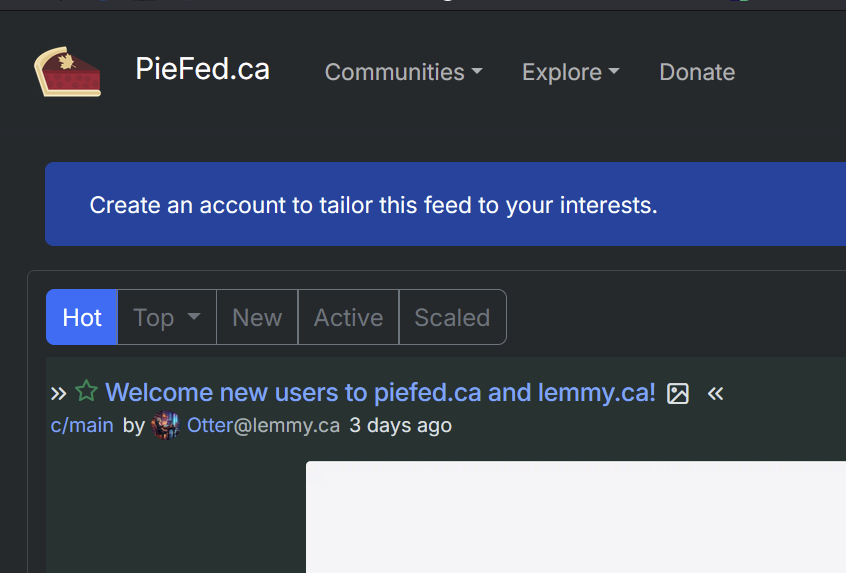
Oh we actually unpinned the main@piefed.ca post after I confirmed it was working and made that comment. It's the other one from main@lemmy.ca that is still pinned, but doesn't show up for users that aren't logged in