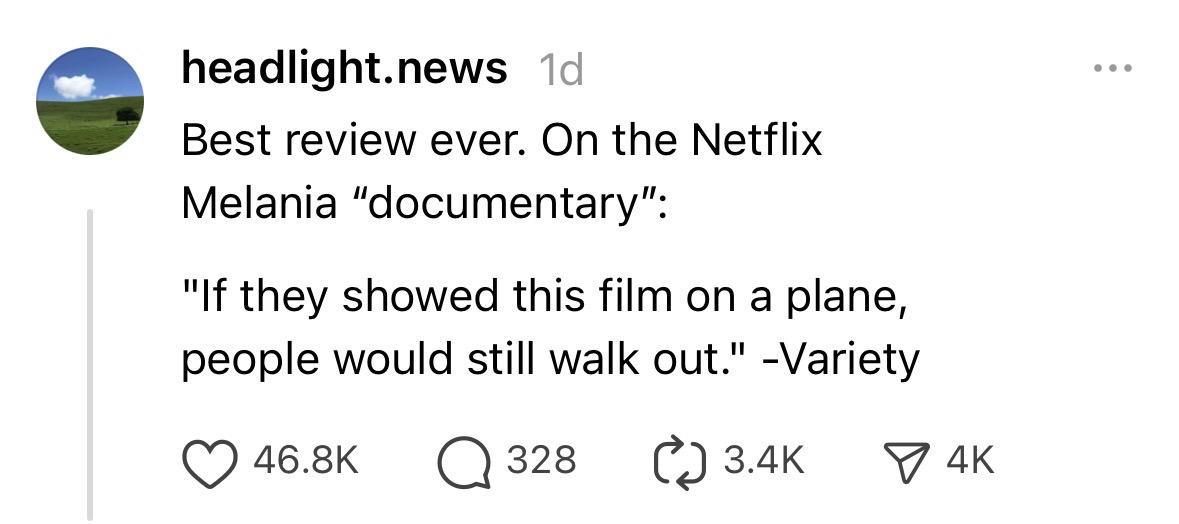
The perfect movie review doesn’t….
Uncategorized
15
Posts
14
Posters
0
Views
-
The perfect movie review doesn’t….
-
The perfect movie review doesn’t….
@petrillic that's worthy of an award by itself!
-
The perfect movie review doesn’t….
@petrillic @kcarruthers Although I appreciate this for how topical/current it is, my personal favourite remains the review someone gave the abysmal sequel to the anime OAV series Bubblegum Crisis.
The sequel was called Bubblegum Crash.
The review in question: “And it DID.”
-
The perfect movie review doesn’t….
-
@petrillic @kcarruthers Although I appreciate this for how topical/current it is, my personal favourite remains the review someone gave the abysmal sequel to the anime OAV series Bubblegum Crisis.
The sequel was called Bubblegum Crash.
The review in question: “And it DID.”
@petrillic @kcarruthers To be fair, if I must, had it been an original and not a sequel to a beloved series, Crash would probably have received a “meh” response and been mostly forgotten. It was only because it WAS a direct sequel to Crisis that it achieved such infamy in anime fandom…
-
The perfect movie review doesn’t….
"I only regret that I have but one boost to give!"
-
The perfect movie review doesn’t….
-
The perfect movie review doesn’t….
@petrillic There's one on Netflix too?
-
The perfect movie review doesn’t….
@petrillic should I outlive the cockroaches, I will never come up with anything that brilliant.
-
@petrillic @kcarruthers Although I appreciate this for how topical/current it is, my personal favourite remains the review someone gave the abysmal sequel to the anime OAV series Bubblegum Crisis.
The sequel was called Bubblegum Crash.
The review in question: “And it DID.”
-
The perfect movie review doesn’t….
@petrillic Correct: it literally doesn’t exist.
- Variety has not reviewed the film, as far as I can tell
- The same quip has been a meme about poorly-received movies for years, at least as far back as the Ghostbusters reboot
-
The perfect movie review doesn’t….
@petrillic
in Spain lots of publicity for the propaganda movie. Of course this movie is set to get a lot of Grammy award nominations and win a Grammy -
The perfect movie review doesn’t….
@petrillic another Nazi zombie movie? No thanks.
-
The perfect movie review doesn’t….
@petrillic Something that finally tops the review for Doolittle...
-
The perfect movie review doesn’t….
@petrillic It is a bribe from Bezos, therefore Amazno, not Netflix.
-
 undefined oblomov@sociale.network shared this topic














Gli ultimi otto messaggi ricevuti dalla Federazione
-
@aeva Put the ubuntu iso image on a usb key and insert it into the computer is all it takes, should be similar on other distros.
netboot.xyz is nice. It's a bootable image which brings up a menu of linux distros to try or install, fetching them over the internet. Install it on a usb key, boot drive, or network boot file.
-
@informapirata@www.informapirata.it
Grazie ho letto la prima parte, spiegazione molto interessante, mi sono venuti dei dubbi, magari mi si chiariranno leggendo il resto.
@poliverso@www.informapirata.it @fediverso @poliverso@feddit.it @Informapirata@lemmy.ml @macfranc @test
-
Alone season 8 watch thread. I hope there are less dead mammals, especially big ones, than in season 7. Not only is it nearly always a suboptimal strategy, it's depressing.
-
OLTRE GLI ALGORITMI: LA GUIDA DEFINITIVA A BOOKWYRM E ALLA RIVOLUZIONE DEL FEDIVERSO.
Se senti che il tuo spazio di lettura digitale è diventato troppo stretto, affollato di pubblicità o limitato da logiche commerciali, è il momento di guardare altrove. La risposta non è un nuovo sito web, ma un intero ecosistema: il Fediverso. E per noi lettori, la porta d’ingresso principale si chiama Bookwyrm.
-
Fonts – Pepper&Carrot
Fonts - Pepper&CarrotOfficial homepage of Pepper&Carrot, a free(libre) and open-source webcomic about Pepper, a young witch and her cat, Carrot. They live in a fantasy universe of potions, magic, and creatures.
https://monodes.com/predaelli/2026/01/28/fonts-peppercarrot/
#Fonts #PepperCarrot
-
@alternativeto This is a webpage for the CompressO app. At the top, a video player displays a scene with two people (one in white clothing, one in red) and text "The Renaissance Edition"; below the video, it shows "229 MB → 14 MB" and "93.91% smaller". Centered below the video is a yellow hand gesture icon, with "CompressO" beneath it. Text tags read "Free" and "Open Source (AGPL-3.0)". The description states: "Free, open-source, cross-platform app for lightweight video compression with FFmpeg, supporting multiple formats and platforms without ads or registration." Below this, buttons read "File Compressor", "Mac", "Windows", "Linux", and "Alternative to HandBrake and Video Compression".
Provided by @altbot, generated privately and locally using Qwen3-Vl:30b
🌱 Energy used: 0.105 Wh
-
Free, open-source offline video compressor with zero tracking, powered by FFmpeg. Available for Linux, Windows & macOS https://alternativeto.net/software/compresso/about/
-
@mayo @cagrimmett @tg @brentsimmons
could you post a screen shot of what you're looking at? i have a feeling you're describing a different product. ;-)