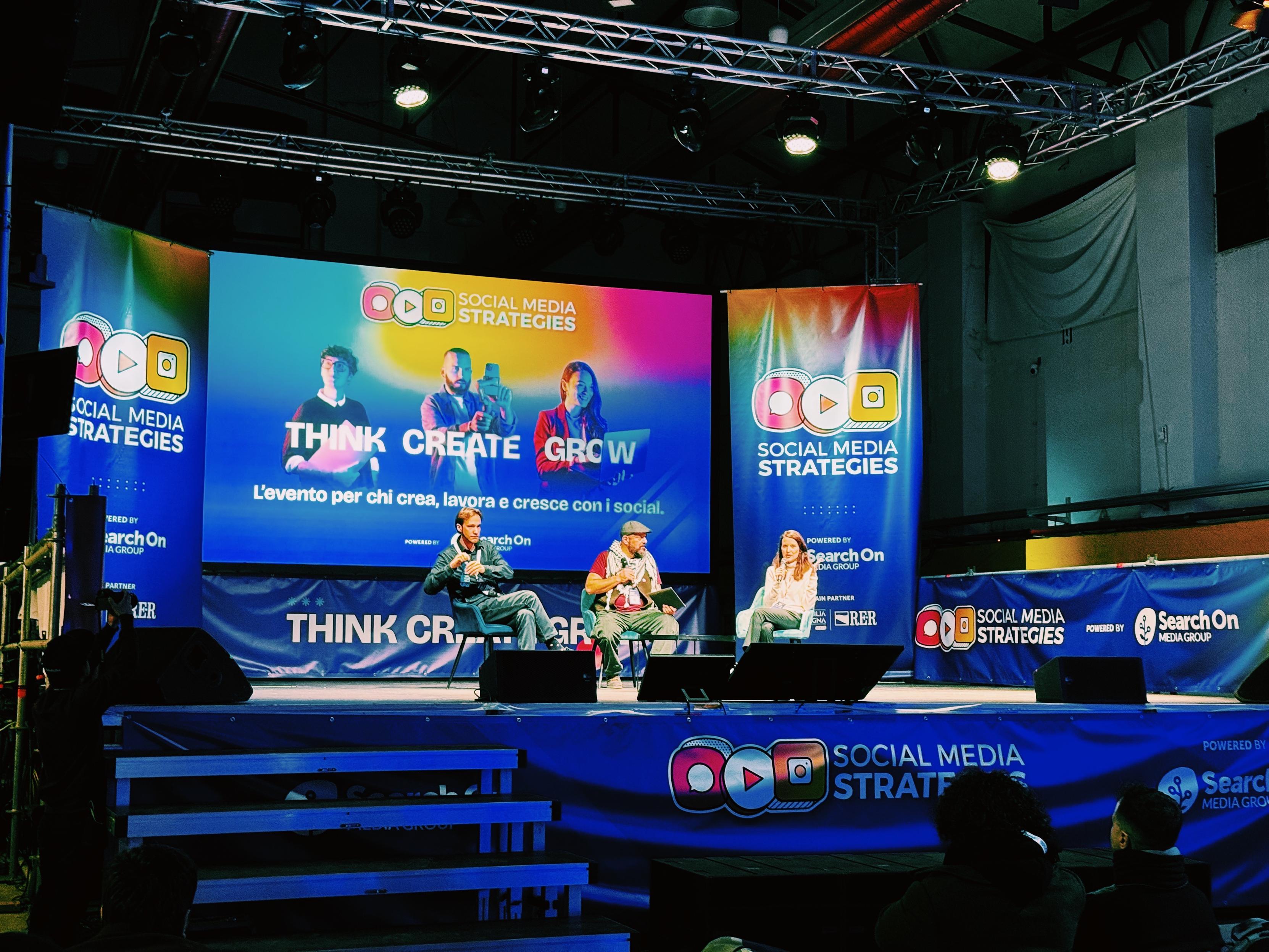
And it’s a wrap for the Social Media Strategies track at #TechWeekBologna 🇮🇹
Fediverso
4
Posts
3
Posters
14
Views

-
And it’s a wrap for the Social Media Strategies track at #TechWeekBologna 🇮🇹
I’m INCREDIBLY grateful to @morloi for giving us an opportunity to talk about the #fediverse on the main stage.
And it was so cool to finally meet @niccolove IRL. He’s so inspiring!
I hope we piqued the curiosity of people in the audience. About 1 out of 100 people had previously heard about the fediverse!
🌈 viva il #fediverso ✨
-
And it’s a wrap for the Social Media Strategies track at #TechWeekBologna 🇮🇹
I’m INCREDIBLY grateful to @morloi for giving us an opportunity to talk about the #fediverse on the main stage.
And it was so cool to finally meet @niccolove IRL. He’s so inspiring!
I hope we piqued the curiosity of people in the audience. About 1 out of 100 people had previously heard about the fediverse!
🌈 viva il #fediverso ✨
@_elena wow, "About 1 out of 100" is not a great ratio. Well, at least the rest of them now know! @morloi @niccolove
-
And it’s a wrap for the Social Media Strategies track at #TechWeekBologna 🇮🇹
I’m INCREDIBLY grateful to @morloi for giving us an opportunity to talk about the #fediverse on the main stage.
And it was so cool to finally meet @niccolove IRL. He’s so inspiring!
I hope we piqued the curiosity of people in the audience. About 1 out of 100 people had previously heard about the fediverse!
🌈 viva il #fediverso ✨
-
@_elena wow, "About 1 out of 100" is not a great ratio. Well, at least the rest of them now know! @morloi @niccolove
This post is deleted! -
 undefined emanuelecariati@varese.social shared this topic on
 undefined stefano@mastodon.bsd.cafe shared this topic on



Gli ultimi otto messaggi ricevuti dalla Federazione
-
@elettrona magari può aiutarti
-
@operand However, they experience those problems in a *completely different way*, which not only is their userbase unprepared for, but the pre-existing experience of fediverse users does not exactly prepare for!
-
@mcc I guess you could simultaneously see this as a success and a failure for ATproto: decentralization is possible... but you immediately get a lot of the same problems ActivityPub has that ATProto ostensibly solved.
-
This is why—although, now Blacksky is letting me "see through" Bluesky's worst moderation decisions, I'm glad, because Bluesky's moderation is weird and arbitrary—I think it's a downside of the network, and Mastodon made the right decision not offering this feature. Fediverse defederation forces a degree of soft group consensus on moderation: it's possible to say "if you're talking to X, I don't want to talk to *you*". On Bluesky we are all ghosts walking through walls and this can't be enforced
-
@mcc phew, you had me worried for a second there was another one of Those Bloody Things
-
-
@mcc is
is Trumpsky a real thing
-
Oh, and let's consider, for a moment, the downsides of an individual user being able to "opt out" of moderation decisions. The problem with misbehavior on social media is force multipliers. One person harassing you is no problem; one person and their 3000 friends is a big problem. Imagine Bluesky and Blacksky ban user X but Trumpsky lets X keep posting. Now their 3000 friends— still in Bluesky's good graces— can see their posts calling to harass you, AND can zero-friction zip over to yell at you