
PieFed 1.5 is released - move posts, upload video files, better chat and more
PieFed Meta
54
Posts
19
Posters
224
Views
-
This release is a bit smaller than usual but also only 2 weeks since 1.4. I'm planning on doing smaller, more frequent and more focussed releases in future.
Seems like a pretty big update to me as a video creator 🫡
-
As a new lemmy user whats the killer features I'm missing out on by not being on Piefed? curious
-
@rimu@piefed.social is there any documentation about the move post feature? It has existed in the mod panel on mbin for as long as it exists, but it does not federate and it would be great if we could implement it in a way that is working piefed, lemmy and nodebb
I just did a quick test-move and here is the json that was federated out:
{
  "actor": "https://crust.piefed.social/u/wjs018",
  "cc": [
    "https://piefed.wjs018.xyz/c/testing"
  ],
  "id": "https://crust.piefed.social/activities/move/l7NaOQha12PQyYv",
  "object": "https://crust.piefed.social/c/testing/p/108274/this-post-will-be-moved",
  "origin": "https://piefed.wjs018.xyz/c/testing",
  "target": "https://crust.piefed.social/c/test",
  "to": [
    "https://www.w3.org/ns/activitystreams#Public"
  ],
  "type": "Move"
}
For context, this was moved from !testing@piefed.wjs018.xyz to !test@crust.piefed.social. The author, @wjs018@crust.piefed.social, is a moderator of the community that the post was initially posted to. I did find a bug in this process, the post flair, which should be community-specific, was moved as well when it should have been stripped. So, I created an issue for tracking that fix.
-
Big deals, omg
- Mods can move a post, with replies and votes, to another community. The change federates to other instances (except Lemmy, for now. I've been in discussion with devs from NodeBB and Lemmy about how this will work, they are on board). Relevant FEP.
- Upload video files while creating a video post - no external host needed. Admin setting to limit who can do this (to save space).
- Realtime chat - conversation immediately updates on screen when a new PM arrives.
More good stuff
- Author-deleted posts are still visible to them and anyone with the url. No more loss of high-value comments with the OP deletes.
- Search filters - nsfw and minimum post score
- Improve speed of cross-posting form on mobile
- Emoji tokens like
:blush:can be used in post or comment body. No GUI support yet. - Admin setting to disable local copies of remote images - good for single-user instances
- Replying to a comment marks associated inbox item as read
- Updated HPT-Fruits theme
- 196 no longer excluded from default community import
- Remove unused community rating feature
- Remove unused instance vote weight feature
- Remove ineffective þ to 'th' replacement
- Improved accessibility - better contrast, fixed many incorrectly-used
aria-labels - Updated translations - Basque, Chinese, Japanese
API:
- Admins can ban/unban users through the API. piefed.world was maintaining custom code for this, hopefully it'll make their version upgrades faster.
Bugs fixed
- PMs
- Markdown parsing
- Speed up loading of profile pages for admin users
- Friendica post parsing
- Passkeys login UX tweak
To upgrade
To upgrade from 1.4.x:
git pull git checkout v1.5.x ./deploy.sh or ./deploy-docker.shIs the feature to move posts from MBin instances supported?
-
Is the feature to move posts from MBin instances supported?
My understanding is that the mbin move feature doesn't federate out at the moment, but I wouldn't be surprised if it happens soon as there are more platforms that support it.
-
I just did a quick test-move and here is the json that was federated out:
{
  "actor": "https://crust.piefed.social/u/wjs018",
  "cc": [
    "https://piefed.wjs018.xyz/c/testing"
  ],
  "id": "https://crust.piefed.social/activities/move/l7NaOQha12PQyYv",
  "object": "https://crust.piefed.social/c/testing/p/108274/this-post-will-be-moved",
  "origin": "https://piefed.wjs018.xyz/c/testing",
  "target": "https://crust.piefed.social/c/test",
  "to": [
    "https://www.w3.org/ns/activitystreams#Public"
  ],
  "type": "Move"
}
For context, this was moved from !testing@piefed.wjs018.xyz to !test@crust.piefed.social. The author, @wjs018@crust.piefed.social, is a moderator of the community that the post was initially posted to. I did find a bug in this process, the post flair, which should be community-specific, was moved as well when it should have been stripped. So, I created an issue for tracking that fix.
thanks for the quick response. I added it to our issue tracking the federation of mod actions (mbinOrg/mbin/#248)
-
Big deals, omg
- Mods can move a post, with replies and votes, to another community. The change federates to other instances (except Lemmy, for now. I've been in discussion with devs from NodeBB and Lemmy about how this will work, they are on board). Relevant FEP.
- Upload video files while creating a video post - no external host needed. Admin setting to limit who can do this (to save space).
- Realtime chat - conversation immediately updates on screen when a new PM arrives.
More good stuff
- Author-deleted posts are still visible to them and anyone with the url. No more loss of high-value comments with the OP deletes.
- Search filters - nsfw and minimum post score
- Improve speed of cross-posting form on mobile
- Emoji tokens like
:blush:can be used in post or comment body. No GUI support yet. - Admin setting to disable local copies of remote images - good for single-user instances
- Replying to a comment marks associated inbox item as read
- Updated HPT-Fruits theme
- 196 no longer excluded from default community import
- Remove unused community rating feature
- Remove unused instance vote weight feature
- Remove ineffective þ to 'th' replacement
- Improved accessibility - better contrast, fixed many incorrectly-used
aria-labels - Updated translations - Basque, Chinese, Japanese
API:
- Admins can ban/unban users through the API. piefed.world was maintaining custom code for this, hopefully it'll make their version upgrades faster.
Bugs fixed
- PMs
- Markdown parsing
- Speed up loading of profile pages for admin users
- Friendica post parsing
- Passkeys login UX tweak
To upgrade
To upgrade from 1.4.x:
git pull git checkout v1.5.x ./deploy.sh or ./deploy-docker.shAwesome!
-
Yes, although it's a long list...
-
Big deals, omg
- Mods can move a post, with replies and votes, to another community. The change federates to other instances (except Lemmy, for now. I've been in discussion with devs from NodeBB and Lemmy about how this will work, they are on board). Relevant FEP.
- Upload video files while creating a video post - no external host needed. Admin setting to limit who can do this (to save space).
- Realtime chat - conversation immediately updates on screen when a new PM arrives.
More good stuff
- Author-deleted posts are still visible to them and anyone with the url. No more loss of high-value comments with the OP deletes.
- Search filters - nsfw and minimum post score
- Improve speed of cross-posting form on mobile
- Emoji tokens like
:blush:can be used in post or comment body. No GUI support yet. - Admin setting to disable local copies of remote images - good for single-user instances
- Replying to a comment marks associated inbox item as read
- Updated HPT-Fruits theme
- 196 no longer excluded from default community import
- Remove unused community rating feature
- Remove unused instance vote weight feature
- Remove ineffective þ to 'th' replacement
- Improved accessibility - better contrast, fixed many incorrectly-used
aria-labels - Updated translations - Basque, Chinese, Japanese
API:
- Admins can ban/unban users through the API. piefed.world was maintaining custom code for this, hopefully it'll make their version upgrades faster.
Bugs fixed
- PMs
- Markdown parsing
- Speed up loading of profile pages for admin users
- Friendica post parsing
- Passkeys login UX tweak
To upgrade
To upgrade from 1.4.x:
git pull git checkout v1.5.x ./deploy.sh or ./deploy-docker.shFantastic - you are so incredibly dedicated!!
One suggestion: for posterity add to "No more loss of high-value comments with the OP deletes." the constraint that the post must remain bookmarked by someone or else it will get deleted (it is not automatic otherwise).
-
There is something about this link structure that is not getting translated to allow me to see the referenced post on PieFed.social.
-
Big deals, omg
- Mods can move a post, with replies and votes, to another community. The change federates to other instances (except Lemmy, for now. I've been in discussion with devs from NodeBB and Lemmy about how this will work, they are on board). Relevant FEP.
- Upload video files while creating a video post - no external host needed. Admin setting to limit who can do this (to save space).
- Realtime chat - conversation immediately updates on screen when a new PM arrives.
More good stuff
- Author-deleted posts are still visible to them and anyone with the url. No more loss of high-value comments with the OP deletes.
- Search filters - nsfw and minimum post score
- Improve speed of cross-posting form on mobile
- Emoji tokens like
:blush:can be used in post or comment body. No GUI support yet. - Admin setting to disable local copies of remote images - good for single-user instances
- Replying to a comment marks associated inbox item as read
- Updated HPT-Fruits theme
- 196 no longer excluded from default community import
- Remove unused community rating feature
- Remove unused instance vote weight feature
- Remove ineffective þ to 'th' replacement
- Improved accessibility - better contrast, fixed many incorrectly-used
aria-labels - Updated translations - Basque, Chinese, Japanese
API:
- Admins can ban/unban users through the API. piefed.world was maintaining custom code for this, hopefully it'll make their version upgrades faster.
Bugs fixed
- PMs
- Markdown parsing
- Speed up loading of profile pages for admin users
- Friendica post parsing
- Passkeys login UX tweak
To upgrade
To upgrade from 1.4.x:
git pull git checkout v1.5.x ./deploy.sh or ./deploy-docker.shGreat work. Thank you to everyone involved.
-
Big deals, omg
- Mods can move a post, with replies and votes, to another community. The change federates to other instances (except Lemmy, for now. I've been in discussion with devs from NodeBB and Lemmy about how this will work, they are on board). Relevant FEP.
- Upload video files while creating a video post - no external host needed. Admin setting to limit who can do this (to save space).
- Realtime chat - conversation immediately updates on screen when a new PM arrives.
More good stuff
- Author-deleted posts are still visible to them and anyone with the url. No more loss of high-value comments with the OP deletes.
- Search filters - nsfw and minimum post score
- Improve speed of cross-posting form on mobile
- Emoji tokens like
:blush:can be used in post or comment body. No GUI support yet. - Admin setting to disable local copies of remote images - good for single-user instances
- Replying to a comment marks associated inbox item as read
- Updated HPT-Fruits theme
- 196 no longer excluded from default community import
- Remove unused community rating feature
- Remove unused instance vote weight feature
- Remove ineffective þ to 'th' replacement
- Improved accessibility - better contrast, fixed many incorrectly-used
aria-labels - Updated translations - Basque, Chinese, Japanese
API:
- Admins can ban/unban users through the API. piefed.world was maintaining custom code for this, hopefully it'll make their version upgrades faster.
Bugs fixed
- PMs
- Markdown parsing
- Speed up loading of profile pages for admin users
- Friendica post parsing
- Passkeys login UX tweak
To upgrade
To upgrade from 1.4.x:
git pull git checkout v1.5.x ./deploy.sh or ./deploy-docker.shWell, this looks pretty cool.
-
Seems like a pretty big update to me as a video creator 🫡
Yes, that's the idea.
On piefed.social I've got that set so that only I can upload videos and I'll use that for when I do demos of new features. I really don't want to pay to store other people's videos forever, and I expect most PieFed instances will be the same.
I expect this will mostly be used by people running an instance for themselves or a few friends.
-
Thanks for clarification, makes more sense now. Will everyone still see each other's comments when a post is moved but for Lemmy users it's still in the old community?
Yes.
Although there are a lot of ways this could go wrong, expect some breakage until kinks are ironed out.
-
thanks for the quick response. I added it to our issue tracking the federation of mod actions (mbinOrg/mbin/#248)
-
There is something about this link structure that is not getting translated to allow me to see the referenced post on PieFed.social.
Oh yes, weird!
-
Fantastic - you are so incredibly dedicated!!
One suggestion: for posterity add to "No more loss of high-value comments with the OP deletes." the constraint that the post must remain bookmarked by someone or else it will get deleted (it is not automatic otherwise).
Yes, I'll probably be removing that constraint pretty soon though.
-
Big deals, omg
- Mods can move a post, with replies and votes, to another community. The change federates to other instances (except Lemmy, for now. I've been in discussion with devs from NodeBB and Lemmy about how this will work, they are on board). Relevant FEP.
- Upload video files while creating a video post - no external host needed. Admin setting to limit who can do this (to save space).
- Realtime chat - conversation immediately updates on screen when a new PM arrives.
More good stuff
- Author-deleted posts are still visible to them and anyone with the url. No more loss of high-value comments with the OP deletes.
- Search filters - nsfw and minimum post score
- Improve speed of cross-posting form on mobile
- Emoji tokens like
:blush:can be used in post or comment body. No GUI support yet. - Admin setting to disable local copies of remote images - good for single-user instances
- Replying to a comment marks associated inbox item as read
- Updated HPT-Fruits theme
- 196 no longer excluded from default community import
- Remove unused community rating feature
- Remove unused instance vote weight feature
- Remove ineffective þ to 'th' replacement
- Improved accessibility - better contrast, fixed many incorrectly-used
aria-labels - Updated translations - Basque, Chinese, Japanese
API:
- Admins can ban/unban users through the API. piefed.world was maintaining custom code for this, hopefully it'll make their version upgrades faster.
Bugs fixed
- PMs
- Markdown parsing
- Speed up loading of profile pages for admin users
- Friendica post parsing
- Passkeys login UX tweak
To upgrade
To upgrade from 1.4.x:
git pull git checkout v1.5.x ./deploy.sh or ./deploy-docker.shAuthor-deleted posts are still visible to them and anyone with the url. No more loss of high-value comments with the OP deletes.
I feel that this violates the privacy of the users and their rights over their content. I know that posting on the internet makes it to be there forever, but still it should be an option to permanently delete a post. I suppose a user can still modify a post to delete its content.
-
This is awesome, thanks
-
Yes, I'll probably be removing that constraint pretty soon though.
That's great news!
In that case, yeah no need to add it.:-)













Gli ultimi otto messaggi ricevuti dalla Federazione
-
As if multiple servers wasn't complicated enough, there are multiple apps and multiple web frontends you can use too! p.piefed.social is an installation of Photon.
Log in with your piefed.social credentials.
Like Blorp, it looks great on a phone and can be installed as a PWA.
-
Try https://b.piefed.social instead! Log in with the same username and password as piefed.social.
It works best on a phone / tablet but on a desktop it's fine too once you switch to compact mode.
It can be installed as a PWA.
There are also lots of themes you can try at https://piefed.social/user/settings. Here are some screenshots of them - https://join.piefed.social/screenshots/
-
Oh so it is, I wasn't seeing it yesterday when I checked. Perhaps unpinning and re-pinning, or removing and re-allowing the ability to show on popular fixed it and I didn't notice it.
Nonetheless, thank you for all the help!
-
Ok, it seems to be working now then. Let us know if you continue to see weirdness with the pinned posts.
-
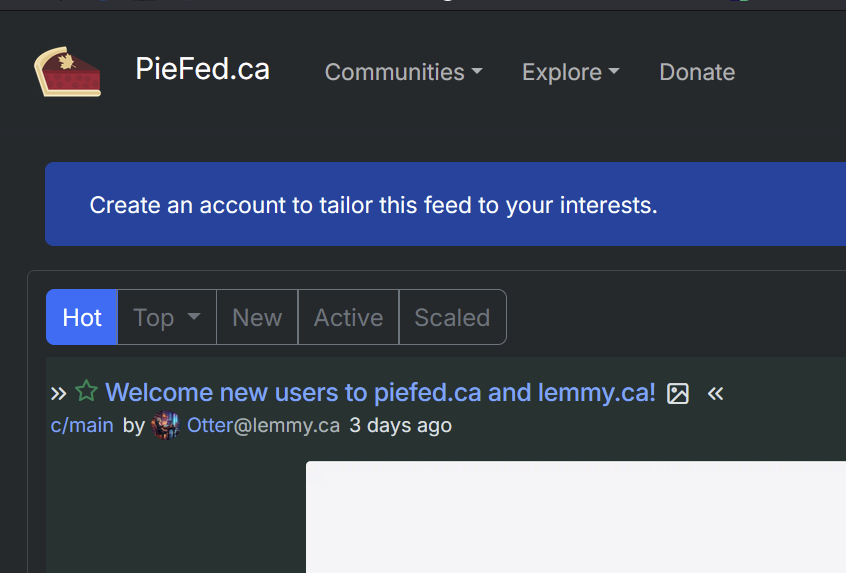
Oh we actually unpinned the main@piefed.ca post after I confirmed it was working and made that comment. It's the other one from main@lemmy.ca that is still pinned, but doesn't show up for users that aren't logged in
-
Welcome!
-
I mean I get you but the only reason it would be done wrong is if it was intentionally done that way. I mean the system already does notifications and as I said I have gotten them for deleted posts. They don't go away. The devs would practically have to intentionally have it not work that way. I really don't think its a risk at all. Also once something is done its not impossible to undue. The federation and in particular piefed devs are pretty earnest individuals and its not like a coporate system where managment would bury their heads and dig their heels on something bad. There is also no incetive to keep something that does not work out well for some sort of financial gain.
-
Even logged in and with filters so that the post is visible, I don't see the post in the piefed community as pinned. Could it have been unpinned when you did your db reload?
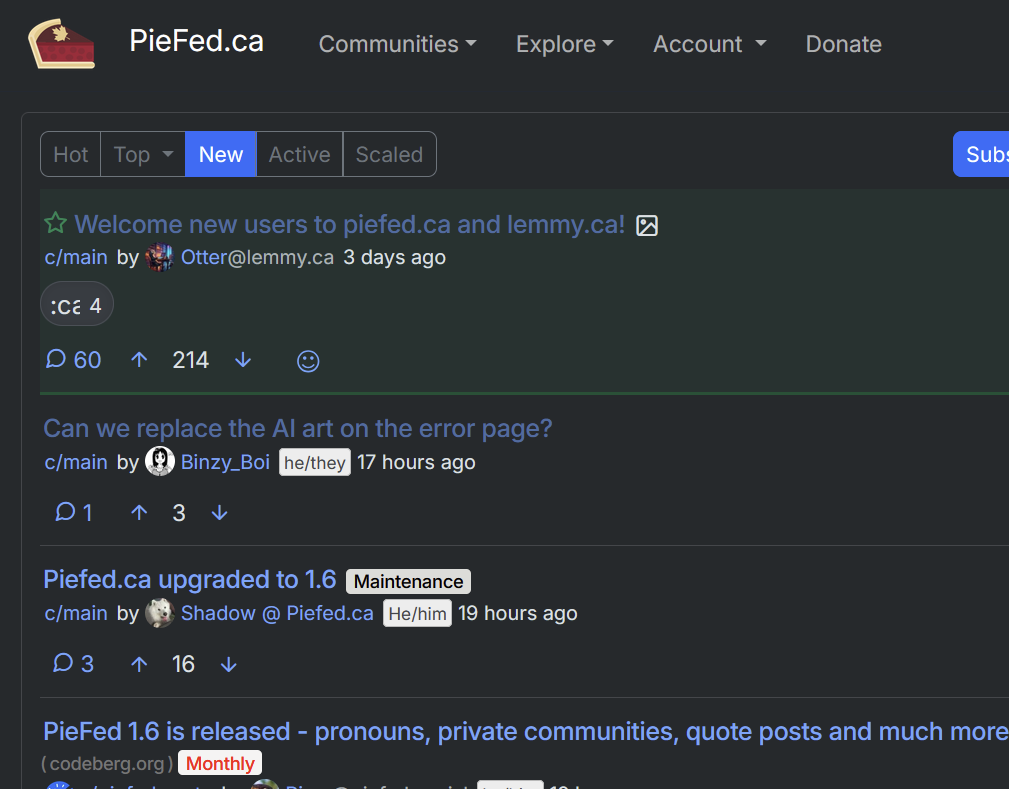
If it is pinned on your side, then it must be a bug of some kind.



