Most hashtags are pretty obvious, you just put # in front of a topic.
Uncategorized
115
Posts
57
Posters
287
Views
-
@CiaraNi @FediTips @benjaminlj Tiny balancing sheep made my day ❤️❤️
@Schwalbentenor Exactly what I said too when I first discovered it!
@FediTips @benjaminlj -
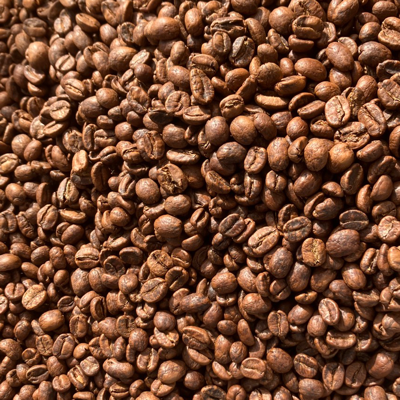
Most hashtags are pretty obvious, you just put # in front of a topic. For example if a post is about coffee it might have the tag #Coffee
However, many popular hashtags have difficult-to-guess names, so I've started a list to help people discover them:
➡️ https://fedi.tips/fun-and-useful-hashtags-to-follow-on-mastodon-and-the-wider-fediverse
Copy-paste a hashtag into the search box in Mastodon if you want to browse or follow it.
If you have suggestions for non-obvious hashtags that should be added to the list, let me know in the replies 🙂
@FediTips I'm not sure if it fits the intent of the list, but maybe at least consider adding at least #USpol because it's *both* useful for people wanting to talk about it *and* super-helpful for those of us who *don't* want it constantly shoved in our faces? (Just to be clear: I'm *not* saying people can't talk about it; just that I and many others want to be able to regulate our intake, and for that, a hashtag helps as much for filtering as for discovery.)
-
Most hashtags are pretty obvious, you just put # in front of a topic. For example if a post is about coffee it might have the tag #Coffee
However, many popular hashtags have difficult-to-guess names, so I've started a list to help people discover them:
➡️ https://fedi.tips/fun-and-useful-hashtags-to-follow-on-mastodon-and-the-wider-fediverse
Copy-paste a hashtag into the search box in Mastodon if you want to browse or follow it.
If you have suggestions for non-obvious hashtags that should be added to the list, let me know in the replies 🙂
@FediTips #MovieClub for the biweekly Mastodon Movie Club!
-
Most hashtags are pretty obvious, you just put # in front of a topic. For example if a post is about coffee it might have the tag #Coffee
However, many popular hashtags have difficult-to-guess names, so I've started a list to help people discover them:
➡️ https://fedi.tips/fun-and-useful-hashtags-to-follow-on-mastodon-and-the-wider-fediverse
Copy-paste a hashtag into the search box in Mastodon if you want to browse or follow it.
If you have suggestions for non-obvious hashtags that should be added to the list, let me know in the replies 🙂
@FediTips if it was not added yet: #JobAlert #histodon #academicChatter #makersHour #writingCommunity #solarpunkSunday #standingStones and #standingStonesSunday #phantastikPrompts #FotoVorschlag #FiberArts #textileArts #visibleMending #thickTrunkTuesday #naturelovers #FediHire #fediHelp #FediGive #askFedi #HerStory #WomenInHistory #WomenInSTEM #indigenousPeople #BlackMastodon #BlackFedi #blackHistory
-
Most hashtags are pretty obvious, you just put # in front of a topic. For example if a post is about coffee it might have the tag #Coffee
However, many popular hashtags have difficult-to-guess names, so I've started a list to help people discover them:
➡️ https://fedi.tips/fun-and-useful-hashtags-to-follow-on-mastodon-and-the-wider-fediverse
Copy-paste a hashtag into the search box in Mastodon if you want to browse or follow it.
If you have suggestions for non-obvious hashtags that should be added to the list, let me know in the replies 🙂
@FediTips #FootpathFriday for interesting hiking trails and walking paths.
-
@FediTips if it was not added yet: #JobAlert #histodon #academicChatter #makersHour #writingCommunity #solarpunkSunday #standingStones and #standingStonesSunday #phantastikPrompts #FotoVorschlag #FiberArts #textileArts #visibleMending #thickTrunkTuesday #naturelovers #FediHire #fediHelp #FediGive #askFedi #HerStory #WomenInHistory #WomenInSTEM #indigenousPeople #BlackMastodon #BlackFedi #blackHistory
@FediTips I forgot #TimelineCleanser or was it #timelineCleanse ?
-
@FediTips
Here are some that have quite a bit of traction with those I follow (and who follow me.) Not that you asked 😉#MacroMonday
#MonochromeMonday
#MosaicMonday
#MountainMonday#TextureTuesday
#TrainTrackTuesday#FernFriday
#FossilFriday
#FungiFriday -
Thanks! 🙏 I couldn't find anything for Jpopfriday so didn't add it, but added Jmusicfriday 👍
-
@FediTips I forgot #TimelineCleanser or was it #timelineCleanse ?
Thank you so much Petra! 🙏
-
Most hashtags are pretty obvious, you just put # in front of a topic. For example if a post is about coffee it might have the tag #Coffee
However, many popular hashtags have difficult-to-guess names, so I've started a list to help people discover them:
➡️ https://fedi.tips/fun-and-useful-hashtags-to-follow-on-mastodon-and-the-wider-fediverse
Copy-paste a hashtag into the search box in Mastodon if you want to browse or follow it.
If you have suggestions for non-obvious hashtags that should be added to the list, let me know in the replies 🙂
@FediTips I also think it would be useful to add hosts to descriptions of some tags(like #TuneTuesday and #Monsterdon ).
-
@FediTips #FootpathFriday for interesting hiking trails and walking paths.
Thank you, added! 🙏
-
Most hashtags are pretty obvious, you just put # in front of a topic. For example if a post is about coffee it might have the tag #Coffee
However, many popular hashtags have difficult-to-guess names, so I've started a list to help people discover them:
➡️ https://fedi.tips/fun-and-useful-hashtags-to-follow-on-mastodon-and-the-wider-fediverse
Copy-paste a hashtag into the search box in Mastodon if you want to browse or follow it.
If you have suggestions for non-obvious hashtags that should be added to the list, let me know in the replies 🙂
@FediTips might I suggest:
AccessibilityIsHotAF — accessibility-focused spicy/adult content
ActuallyAutistic — conversations about autism from folx who are autistic
-
@FediTips I also think it would be useful to add hosts to descriptions of some tags(like #TuneTuesday and #Monsterdon ).
I have bookmarked your suggestion, I'll try to add tags and then go back to this
-
@FediTips #MovieClub for the biweekly Mastodon Movie Club!
Thank you, added! 🙏
-
@Kingu No worries! 🙂
-
Most hashtags are pretty obvious, you just put # in front of a topic. For example if a post is about coffee it might have the tag #Coffee
However, many popular hashtags have difficult-to-guess names, so I've started a list to help people discover them:
➡️ https://fedi.tips/fun-and-useful-hashtags-to-follow-on-mastodon-and-the-wider-fediverse
Copy-paste a hashtag into the search box in Mastodon if you want to browse or follow it.
If you have suggestions for non-obvious hashtags that should be added to the list, let me know in the replies 🙂
#TilingTuesday for pics of cool tilings
#MakanApaToday for pics of South-East Asian food
#Catstodon and #MastoCats for cats when it's not Saturday
#PhDLife and #PhDone for (very recently ex-)PhD students -
@FediTips might I suggest:
AccessibilityIsHotAF — accessibility-focused spicy/adult content
ActuallyAutistic — conversations about autism from folx who are autistic
Thank you! 🙏
-
Most hashtags are pretty obvious, you just put # in front of a topic. For example if a post is about coffee it might have the tag #Coffee
However, many popular hashtags have difficult-to-guess names, so I've started a list to help people discover them:
➡️ https://fedi.tips/fun-and-useful-hashtags-to-follow-on-mastodon-and-the-wider-fediverse
Copy-paste a hashtag into the search box in Mastodon if you want to browse or follow it.
If you have suggestions for non-obvious hashtags that should be added to the list, let me know in the replies 🙂
I don't think anyone suggested #bikenite yet but that one should be on the list (bicycle themed Q&A on Fridays)
-
Most hashtags are pretty obvious, you just put # in front of a topic. For example if a post is about coffee it might have the tag #Coffee
However, many popular hashtags have difficult-to-guess names, so I've started a list to help people discover them:
➡️ https://fedi.tips/fun-and-useful-hashtags-to-follow-on-mastodon-and-the-wider-fediverse
Copy-paste a hashtag into the search box in Mastodon if you want to browse or follow it.
If you have suggestions for non-obvious hashtags that should be added to the list, let me know in the replies 🙂
-
Also for the event based hashtags (monster on, BikeNite, etc) they are very good for filters since they will often end up overwhelming your timeline if you follow the wrong (right?) people










Gli ultimi otto messaggi ricevuti dalla Federazione
-
An appropriate T-shirt for today.
-
No a una riforma eversiva! Solo la magistratura può difenderci dagli abusi del potere https://www.ilfattoquotidiano.it/2026/03/17/referendum-giustizia-divisione-poteri-p2-eversione/8325591/
-
La UNI EN ISO 45001:23 e l'art. 30 del d.lgs. 81/08
@lavoro
https://www.puntosicuro.it/sgsl-mog-dlgs-231/01-C-58/la-uni-en-iso-45001-23-l-art.-30-del-d.lgs.-81/08-AR-26234/
L'analisi di Inail su UNI EN ISO 45001:23 e l'art. 30 del d.lgs. 81/08 che introduce l'approccio basato sul risk-based thinking, un metodo che considera sia i rischi per la salute e la sicurezza sia quelli organizzativi e gestionali.
-
@angel Sometimes I think that people have lives full of problems, insecurities, and frustrations, and they vent when they feel they can. Or at least, I hope so. I prefer to think that rather than believe they are ignorant and aggressive.
-
Io c'ero! E da quando uscì, il 17 marzo 1986, consumai la cassetta. Che incipit spettacolare. #DepecheMode - Black Celebration - Full Album - Invidious https://invidious.nerdvpn.de/playlist?list=PLx3yLVvQp0FE5LtDWDzxjKeS2ghd0WJ86
-
Current* conditions near Port Dover, ON:
-
George Gray di Edgar Lee Masters (Garnett, 1868 – Melrose Park, 1950)
Molte volte ho studiato
la lapide che mi hanno scolpito:
una barca con vele ammainate, in un porto.
In realtà non è questa la mia destinazione
ma la mia vita … https://cctm.website/antologia-di-spoon-river-george-gray/da Antologia di Spoon River, Einaudi 1943
#edgarleemasters #spoonriver #libri #cctmwebsite #anoipiaceleggere #leggere
-
Oggi con #FUTURO24 vi porteremo ad altissime latitudini. Parleremo di scienze polari con gli esperti che hanno partecipato alla conferenza internazionale di Arctic Circle nella sede del CNR a Roma. Vi aspettiamo alle 13.45 e alle 21.45 su RaiNews24!