Skip to content

Piero Bosio Social Web Site Personale Logo Fediverso

Social Forum federato con il resto del mondo. Non contano le istanze, contano le persone

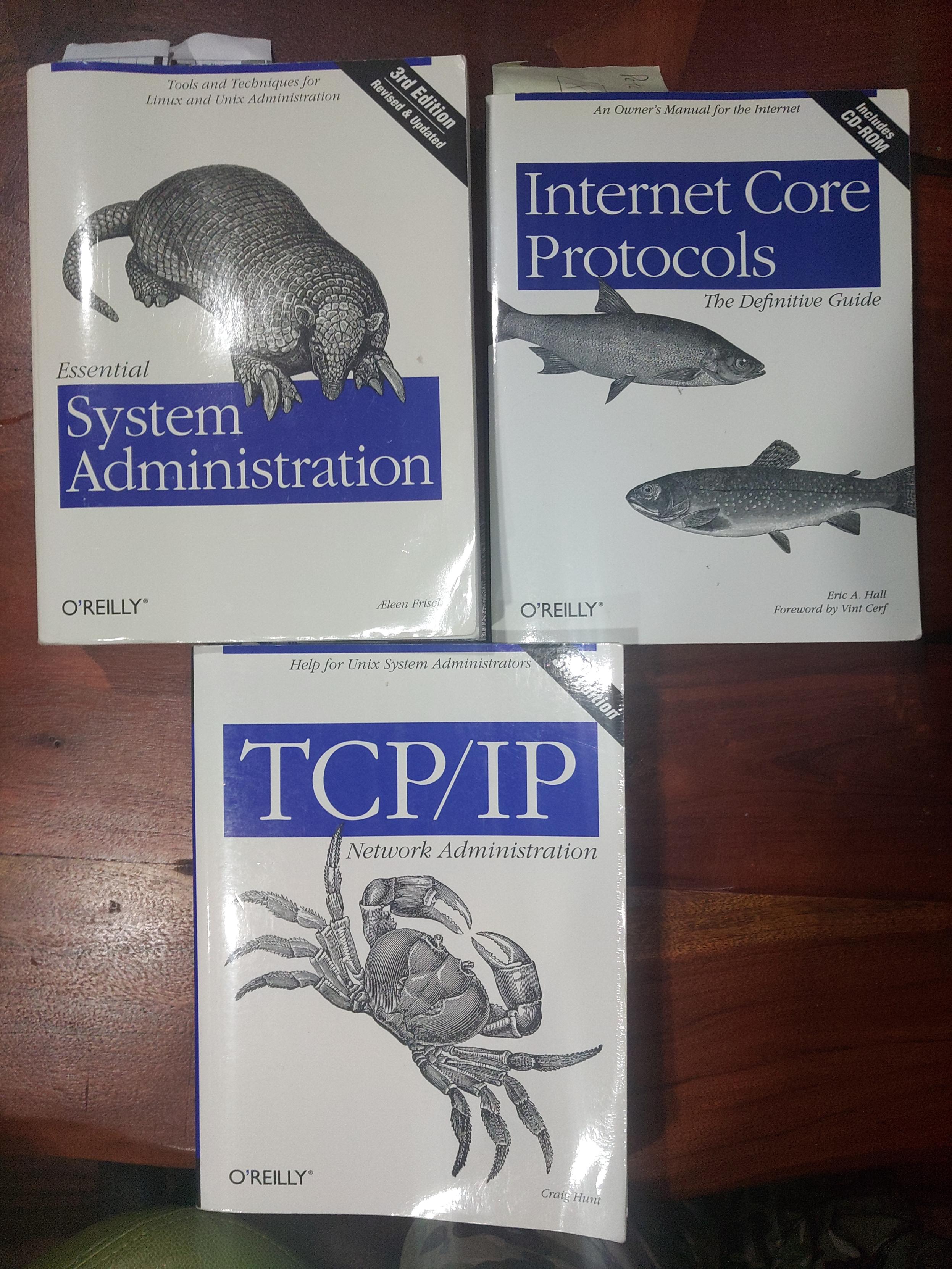
These books are over 20 years old.

Uncategorized
2 2 1

Gli ultimi otto messaggi ricevuti dalla Federazione
Post suggeriti
  • 0 Votes
    1 Posts
    2 Views
    Cerchi un programma open source per salvare le password che funzioni su tutti i tuoi dispositivi? Passa a trovarci presso la sede ILS di Alessandria e ti aiuteremo a configurarlo. Prossimo appuntamento, domani sera venerdì 20 Febbraio dalle ore 21.#linux #opensource #pc #software #lug @ItaLinuxSociety @linux@diggita.com @linux @ILS_Alessandria @altbot @opensource
  • 0 Votes
    1 Posts
    7 Views
    I've got a weird issue on my #FreeBSD ThinkPad. Since setting up lagg yesterday which worked fine. I powered off last night and then switched it on this morning. I noticed that I had no network access on either the re1 interface or wlan0. I powered off and on and it worked. I have since discovered that if it doesn't work if I just doas service netif restart it starts to work again.This is my lagg setup in /etc/rc.conf# WiFiwlans_iwlwifi0="wlan0"ifconfig_wlan0="WPA SYNCDHCP"cloned_interfaces="lagg0"ifconfig_lagg0="up laggproto failover laggport re1 laggport wlan0 DHCP"This is the output of ifconfig when it's working:re0: flags=8802<BROADCAST,SIMPLEX,MULTICAST> metric 0 mtu 1500 options=8209b<RXCSUM,TXCSUM,VLAN_MTU,VLAN_HWTAGGING,VLAN_HWCSUM,WOL_MAGIC,LINKSTATE> ether 8c:8c:aa:bd:bb:f0 media: Ethernet autoselect (none) status: no carrier nd6 options=29<PERFORMNUD,IFDISABLED,AUTO_LINKLOCAL>re1: flags=1008843<UP,BROADCAST,RUNNING,SIMPLEX,MULTICAST,LOWER_UP> metric 0 mtu 1500 options=80088<VLAN_MTU,VLAN_HWCSUM,LINKSTATE> ether 8c:8c:aa:bd:bb:ef inet 192.168.0.194 netmask 0xffffff00 broadcast 192.168.0.255 media: Ethernet autoselect (1000baseT <full-duplex>) status: active nd6 options=29<PERFORMNUD,IFDISABLED,AUTO_LINKLOCAL>lo0: flags=1008049<UP,LOOPBACK,RUNNING,MULTICAST,LOWER_UP> metric 0 mtu 16384 options=680003<RXCSUM,TXCSUM,LINKSTATE,RXCSUM_IPV6,TXCSUM_IPV6> inet 127.0.0.1 netmask 0xff000000 inet6 ::1 prefixlen 128 inet6 fe80::1%lo0 prefixlen 64 scopeid 0x3 groups: lo nd6 options=21<PERFORMNUD,AUTO_LINKLOCAL>wlan0: flags=1008843<UP,BROADCAST,RUNNING,SIMPLEX,MULTICAST,LOWER_UP> metric 0 mtu 1500 options=0 ether 8c:8c:aa:bd:bb:ef hwaddr 70:9c:d1:af:ad:93 inet 192.168.0.194 netmask 0xffffff00 broadcast 192.168.0.255 groups: wlan ssid Smithies channel 40 (5200 MHz 11a vht/80-) bssid f0:9f:c2:ab:8d:c3 regdomain FCC country US authmode WPA2/802.11i privacy ON deftxkey UNDEF AES-CCM 2:128-bit AES-CCM ucast:128-bit txpower 17 bmiss 7 mcastrate 6 mgmtrate 6 scanvalid 60 ampdulimit 64k ampdudensity 8 -amsdutx amsdurx shortgi -ldpctx ldpcrx -uapsd vht vht40 vht80 vht160 -vht80p80 wme roaming MANUAL parent interface: iwlwifi0 media: IEEE 802.11 Wireless Ethernet VHT mode 11ac status: associated nd6 options=29<PERFORMNUD,IFDISABLED,AUTO_LINKLOCAL>lagg0: flags=1008843<UP,BROADCAST,RUNNING,SIMPLEX,MULTICAST,LOWER_UP> metric 0 mtu 1500 options=0 ether 8c:8c:aa:bd:bb:ef hwaddr 00:00:00:00:00:00 inet 192.168.0.194 netmask 0xffffff00 broadcast 192.168.0.255 laggproto failover lagghash l2,l3,l4 laggport: re1 flags=5<MASTER,ACTIVE> laggport: wlan0 flags=0<> groups: lagg media: Ethernet autoselect status: active nd6 options=29<PERFORMNUD,IFDISABLED,AUTO_LINKLOCAL>This is the output when not working on first boot:re0: flags=8802<BROADCAST,SIMPLEX,MULTICAST> metric 0 mtu 1500 options=8209b<RXCSUM,TXCSUM,VLAN_MTU,VLAN_HWTAGGING,VLAN_HWCSUM,WOL_MAGIC,LINKSTATE> ether 8c:8c:aa:bd:bb:f0 media: Ethernet autoselect (none) status: no carrier nd6 options=29<PERFORMNUD,IFDISABLED,AUTO_LINKLOCAL>re1: flags=1008843<UP,BROADCAST,RUNNING,SIMPLEX,MULTICAST,LOWER_UP> metric 0 mtu 1500 options=80088<VLAN_MTU,VLAN_HWCSUM,LINKSTATE> ether 8c:8c:aa:bd:bb:ef inet 192.168.0.194 netmask 0xffffff00 broadcast 192.168.0.255 media: Ethernet autoselect (1000baseT <full-duplex>) status: active nd6 options=29<PERFORMNUD,IFDISABLED,AUTO_LINKLOCAL>lo0: flags=1008049<UP,LOOPBACK,RUNNING,MULTICAST,LOWER_UP> metric 0 mtu 16384 options=680003<RXCSUM,TXCSUM,LINKSTATE,RXCSUM_IPV6,TXCSUM_IPV6> inet 127.0.0.1 netmask 0xff000000 inet6 ::1 prefixlen 128 inet6 fe80::1%lo0 prefixlen 64 scopeid 0x3 groups: lo nd6 options=21<PERFORMNUD,AUTO_LINKLOCAL>wlan0: flags=1008843<UP,BROADCAST,RUNNING,SIMPLEX,MULTICAST,LOWER_UP> metric 0 mtu 1500 options=0 ether 8c:8c:aa:bd:bb:ef hwaddr 70:9c:d1:af:ad:93 inet 192.168.0.194 netmask 0xffffff00 broadcast 192.168.0.255 groups: wlan ssid Smithies channel 40 (5200 MHz 11a vht/80-) bssid f0:9f:c2:ab:8d:c3 regdomain FCC country US authmode WPA2/802.11i privacy ON deftxkey UNDEF AES-CCM 2:128-bit AES-CCM ucast:128-bit txpower 17 bmiss 7 mcastrate 6 mgmtrate 6 scanvalid 60 ampdulimit 64k ampdudensity 8 -amsdutx amsdurx shortgi -ldpctx ldpcrx -uapsd vht vht40 vht80 vht160 -vht80p80 wme roaming MANUAL parent interface: iwlwifi0 media: IEEE 802.11 Wireless Ethernet VHT mode 11ac status: associated nd6 options=29<PERFORMNUD,IFDISABLED,AUTO_LINKLOCAL>lagg0: flags=1008843<UP,BROADCAST,RUNNING,SIMPLEX,MULTICAST,LOWER_UP> metric 0 mtu 1500 options=0 ether 8c:8c:aa:bd:bb:ef hwaddr 00:00:00:00:00:00 inet 192.168.0.194 netmask 0xffffff00 broadcast 192.168.0.255 laggproto failover lagghash l2,l3,l4 laggport: re1 flags=5<MASTER,ACTIVE> laggport: wlan0 flags=0<> groups: lagg media: Ethernet autoselect status: active nd6 options=29<PERFORMNUD,IFDISABLED,AUTO_LINKLOCAL>I should note that running doas service netif restart once it's working makes it fail again.Any ideas ??
  • 0 Votes
    1 Posts
    7 Views
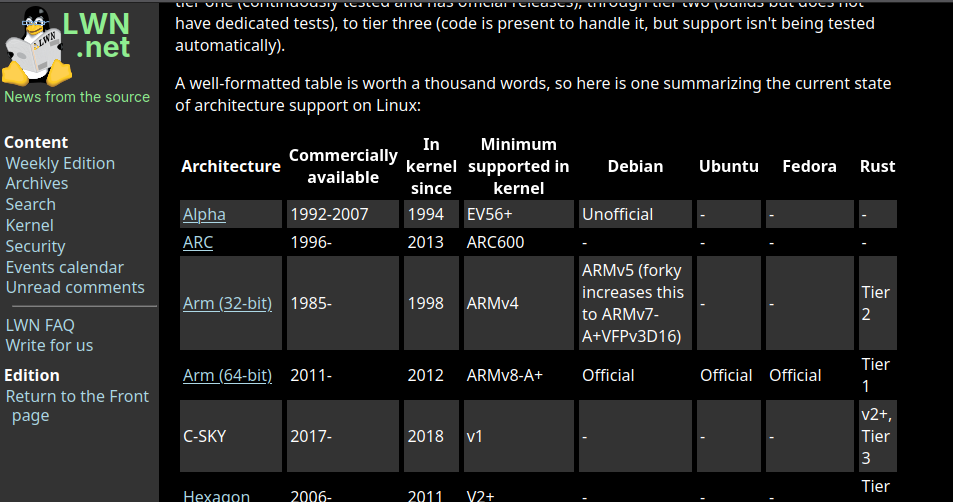
    The @lwn article "The current state of #Linux architecture support" is now freely available: https://lwn.net/Articles/1045363/""There have been several recent announcements about Linux distributions changing the list of architectures they support, or adjusting how they build binaries for some versions of those architectures. […] Linux supports a large number of architectures, and it's not always clear where or by whom they are used. With increasing concerns about diminishing support for legacy architectures, it's a good time to look at the overall state of architecture support on Linux.The 6.17 #kernel supports 21 different architectures […]""#LinuxKernel
  • 0 Votes
    1 Posts
    25 Views
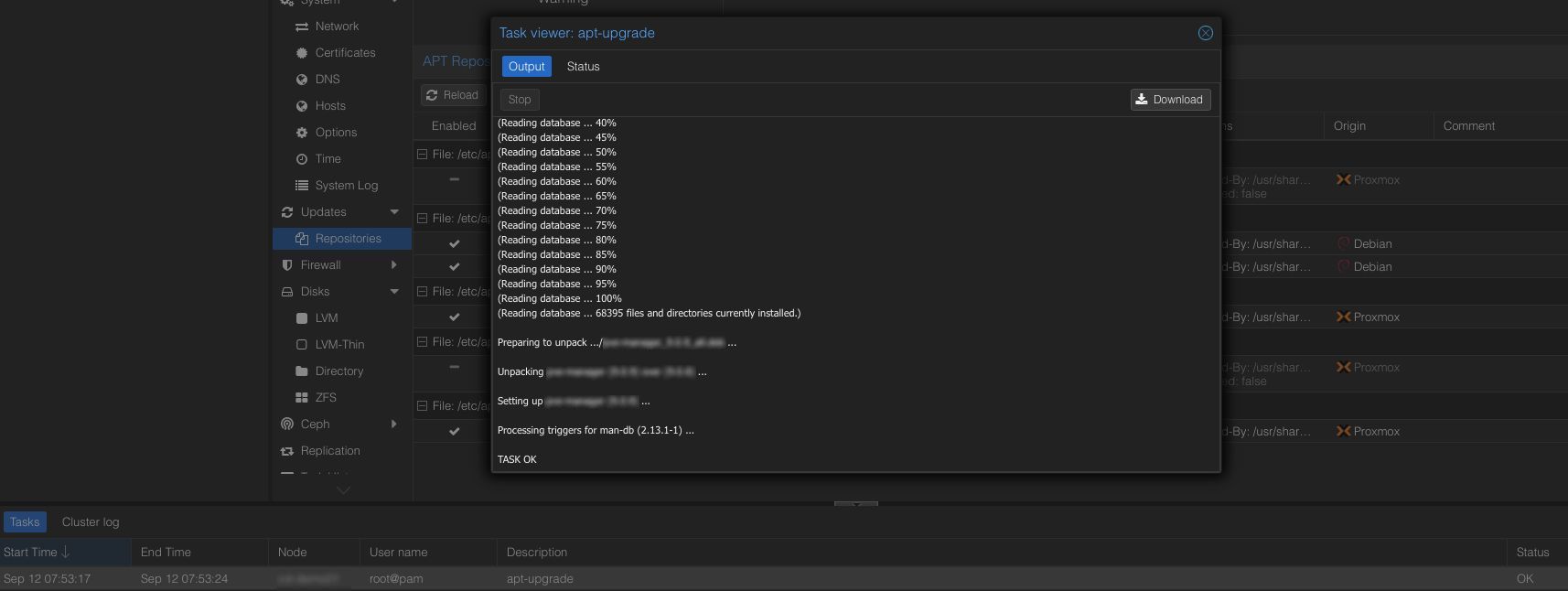
    Hey #Proxmox community! I would like to hear your thoughts on how you usually update your Proxmox nodes and clusters. How do you handle minor Proxmox and #Debian package upgrades with #APT?What would you think about a new API endpoint that lets you run unattended upgrades with a simple call like:/nodes/{node_name}/apt/upgradeAt the moment you need to use the node’s HTML5 console to perform upgrades. Other methods exist such as running unattended Debian upgrade scripts, using patch management tools like #Spacewalk or #QualvoSec, or automating the process with #Ansible over SSH. My idea is to have an API based solution that relies on Proxmox authentication and authorization. This would also allow third party tools such as #ProxLB to provide automated patch management and even handle guest rebalancing in a way that is similar to DRS without requiring direct SSH access.I have already been running this approach on several internal clusters since the release of PVE 8 without issues. Now I am interested to hear if you would use unattended upgrades in general or if you are already running them today.#Linux #OpenSource #PatchManagement #Security #DevOps #Automation #Ansible #PVE #PVE8 #PVE9