Does anyone recognize this artifact?
Uncategorized
6
Posts
3
Posters
0
Views
-
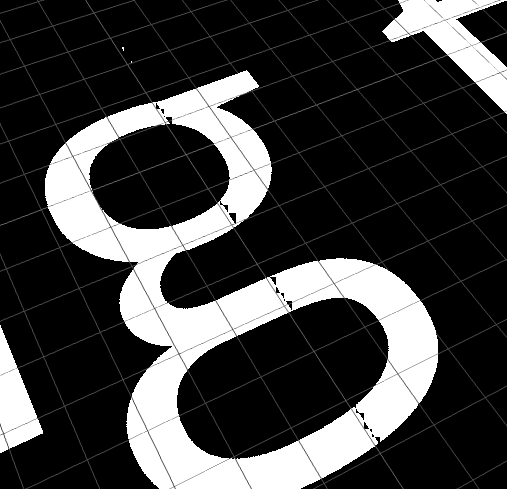
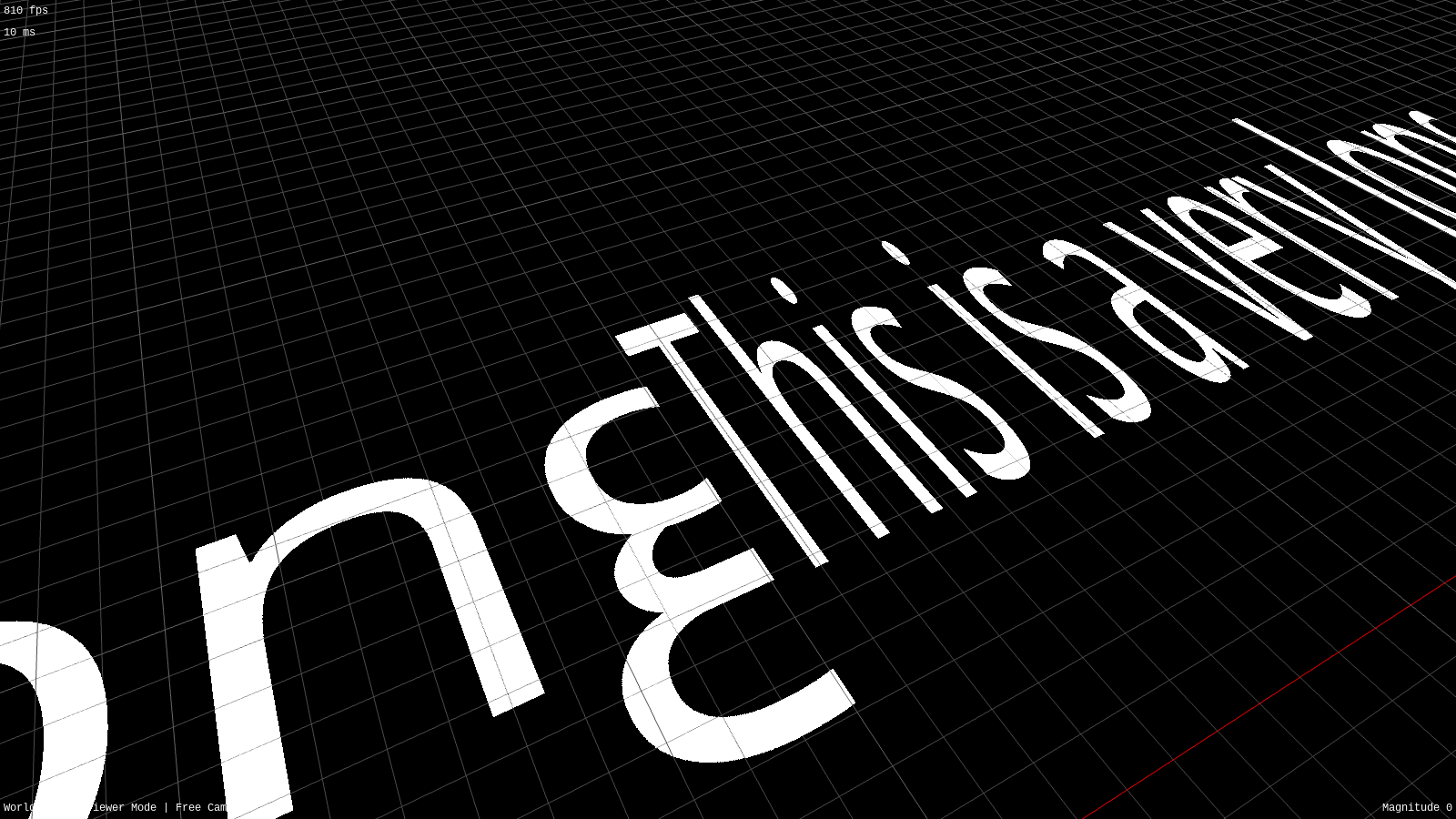
Does anyone recognize this artifact? I'm storing the texture in multiple images to avoid exceeding max image dimensions and I'm getting this weird glitch at the tile boundaries
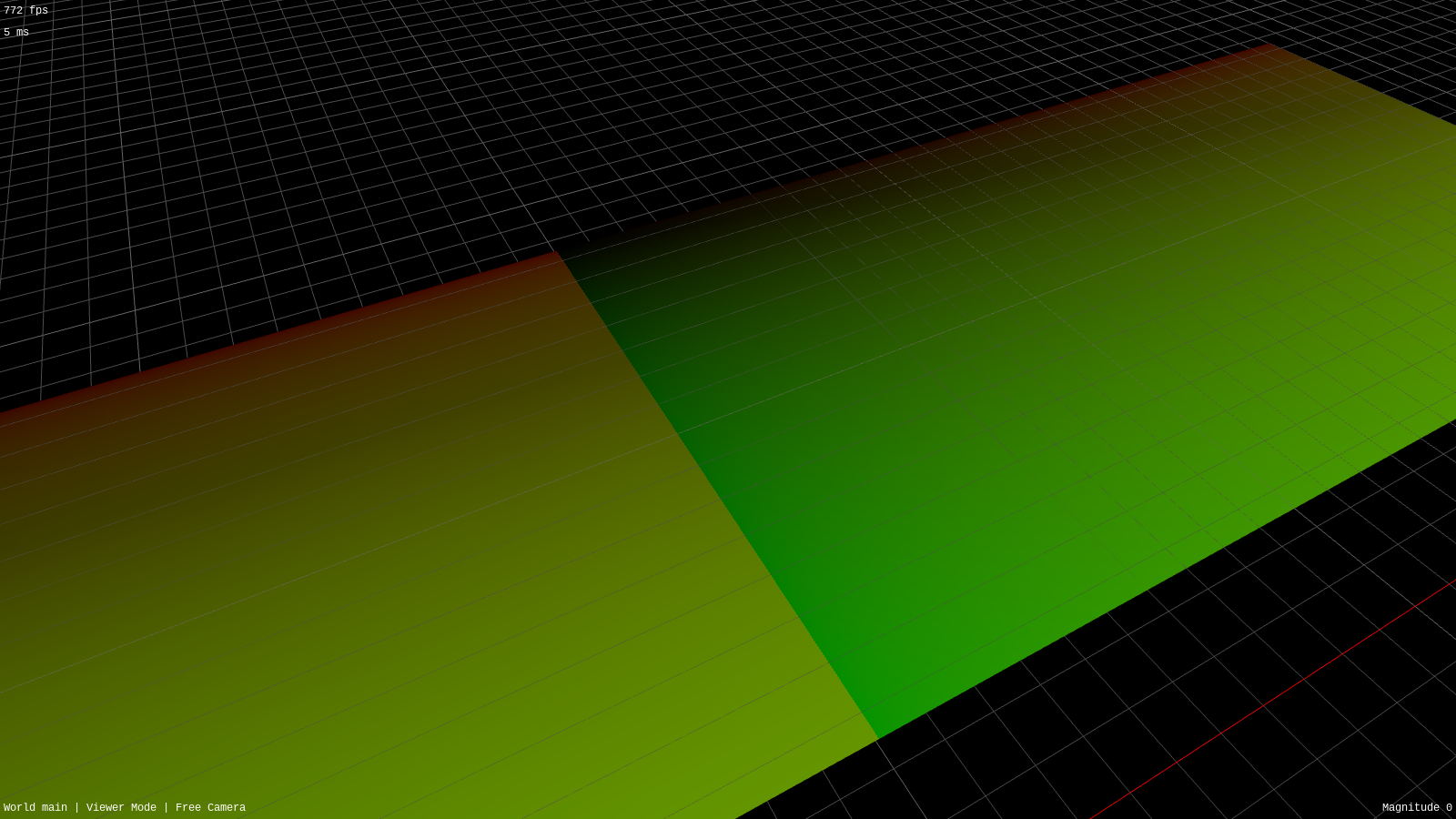
Even stranger, it isn't reflected in the UVs (second picture) or when reading the same image for both regions (third picture) and the sampler is set to nearest + clamp-to-edge
Boosts appreciated
-
Does anyone recognize this artifact? I'm storing the texture in multiple images to avoid exceeding max image dimensions and I'm getting this weird glitch at the tile boundaries
Even stranger, it isn't reflected in the UVs (second picture) or when reading the same image for both regions (third picture) and the sampler is set to nearest + clamp-to-edge
Boosts appreciated
@AminiAllight it's interesting that the cracks seem axially aligned to screen space. is the pixel shader just a straight read or are you doing anything fancy that might be sharing information between lanes?
-
 undefined aeva@mastodon.gamedev.place shared this topic
-
@AminiAllight it's interesting that the cracks seem axially aligned to screen space. is the pixel shader just a straight read or are you doing anything fancy that might be sharing information between lanes?
@AminiAllight try setting the sampler to nearest and clamp-to-edge, and doing just a straight read without anything fancy, no derivatives etc and see if the problem still shows up
-
Does anyone recognize this artifact? I'm storing the texture in multiple images to avoid exceeding max image dimensions and I'm getting this weird glitch at the tile boundaries
Even stranger, it isn't reflected in the UVs (second picture) or when reading the same image for both regions (third picture) and the sampler is set to nearest + clamp-to-edge
Boosts appreciated
@AminiAllight Is this a whole mesh or is it two separate meshes? If it's the former and you're selecting the image in the shader, the following can happen: a pixel selects one image, but it's neighbour selects another, and they can't decide on the appropriate mipmap level (which is computed based on uv differences in neighbouring pixels). Though in that case I'd expect 2x2-pixel-sized artifacts, while yours seem to be in some larger pixel tiles.
-
@AminiAllight Is this a whole mesh or is it two separate meshes? If it's the former and you're selecting the image in the shader, the following can happen: a pixel selects one image, but it's neighbour selects another, and they can't decide on the appropriate mipmap level (which is computed based on uv differences in neighbouring pixels). Though in that case I'd expect 2x2-pixel-sized artifacts, while yours seem to be in some larger pixel tiles.
@AminiAllight Anyway, to rule this out, sample both textures first, and only then select one of the read values based on whatever condition you have.
-
@AminiAllight try setting the sampler to nearest and clamp-to-edge, and doing just a straight read without anything fancy, no derivatives etc and see if the problem still shows up
@aeva I believe it's a straight read? The shader in question is: https://gitlab.com/amini-allight/lambdamod/-/blob/master/src/shaders/lit_textured_fragment.glsl


Gli ultimi otto messaggi ricevuti dalla Federazione
-
Buona #FestadellaDonna con un #film uscito 40 anni fa. Matador - Streaming ITA - Streaming-Community https://streaming-community.trade/titles/15499-guarda-matador-streaming/watching.html
-
@timnitGebru Their posting is messed up. The article is current, not from 1969. Weird.
-
@timnitGebru The article has a Dec. 31, 1969 age date?
-
Io e @alephoto85 abbiamo tantissimi libri e pochissimo spazio. Così ho detto al nostro amico Marco "ehi, mi servirebbe una libreria alta e stretta da mettere in casa";
"nessun problema" risponde lui, "ho una testata di un motore diesel Renault Kangoo non funzionante"E così abbiamo costruito la nostra "libreria a scoppio"!
#handmade #libreria #libri #renaultkangoo #riusocreativo #motore #barrefilettate #molle #dadi #diy
-
@_elena I dated a woman once who had the incredible ability to find four leaf clovers. If there was clover, she could find a four leafer. Her mother also had this skill. All of her 4 sisters. Her grandmother. I was amazed. I've never found one on my own.
-
@NullTheFool woohoo!
-
-
@matz in che senso? c'è poca attività?